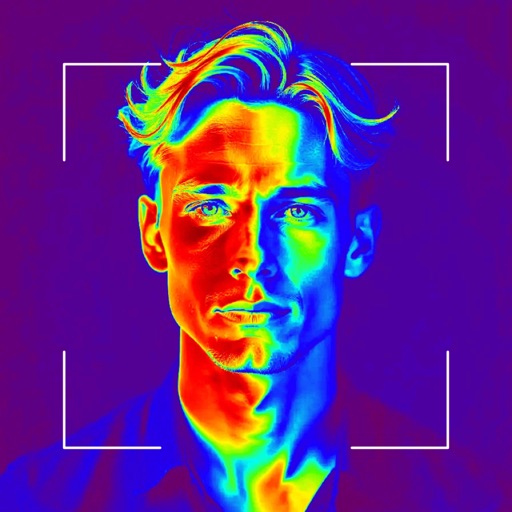
Take a photo and convert it into an embroidery design with adjustable filters and size options. Save the design to your mySewnet™ account and sync it with a compatible sewing machine for stitching.
by VSM Group AB★ 3.18 ratingsLifestyleFreeData updated 2026-09-13
Create photo, solid background, time display, and step count widgets. Design custom icons for home screen. Free version allows two widget creations. Theme iOS 14 Home Screen with unlimited icon options.
Apply effects to photos with multiple classic color options and adjustable beauty filters. Add grain intensity and choose from various photo borders. Import photos from the album to apply effects and use photo frames. Supports Live Photos.
Organize needlepoint and embroidery projects with unlimited project creation. Track progress using percentage completion. Log stitching sessions and total time spent. Add notes and photos to projects. Share progress and connect with other crafters.
Browse and purchase designer, casual, formal, wedding, and party wear sarees in fabrics like georgette, cotton, and jacquard. Filter by pattern and style. View exclusive offers and new collections. Track order status and receive notifications.
Create dynamic Photos from text or images using AI. Batch generate Photos for multiple files. Edit videos and images to produce animated wallpapers. Save and share finished content directly.
Edit photos with AI style transfer for different art effects. Apply 12+ professional filters. Save high-resolution edits to the gallery with one tap. Use a clean, ad-free interface for simple image styling.
Edit photos with filters and adjust sensitivity for artistic effects. Save and share edited images directly. Use an intuitive interface to create visually striking effects without technical expertise.
Upload and edit photos with options to choose format, color, and gradient colors. Add multiple images and post full-size photos to Instagram without cropping. No watermark included.
Capture Go board positions using image recognition and convert them to SGF format. Save game data including player names, ranks, and captured stones. Export SGF files via clipboard, email, Dropbox, or compatible apps.
Organizes fabric, patterns, and projects with detailed search. Links patterns to fabrics and creates shopping lists. Stores photos of creations and notes. Syncs across devices via iCloud. Saves links to blogs and websites.
Create collages by combining multiple photos into layouts. Choose from 50+ grid styles and tree or 3D modes. Edit photos with cropping, filters, and text addition. Share finished collages directly.
The app supports printing from various devices to a wide range of Wi-Fi printers. It allows users to print documents, photos, and websites with different layout options.