Edit videos with trimming, splitting, and merging tools. Add text, stickers, and music. Apply filters and transitions. Export in vertical 9:16 format. Share directly to TikTok, Reels, and Shorts. Supports multiple video and audio sources.
Edit photos with filters, cropping, and adjustments. Add text, stickers, and frames. Create collages by combining multiple images. Share directly to social media. Apply effects and choose from various fonts and stickers.
Create and share photos and videos for social profiles. Use AI to make magic avatars. Design stories with 100+ templates. Add hashtags for profile growth. Include cool text and symbol art in captions. Access 300+ captions to overcome writer's block.
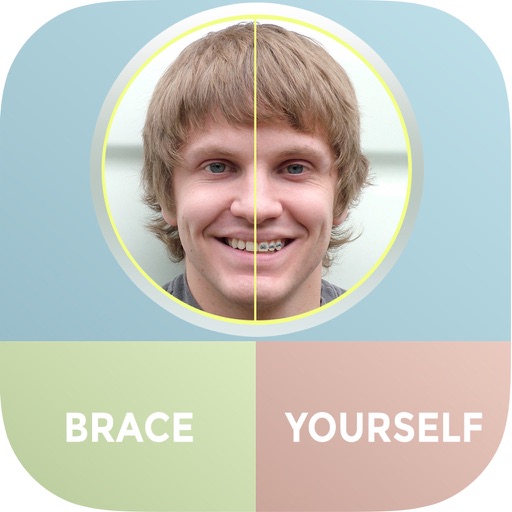
The app allows users to see themselves with braces using their iPhone and iPad. Users can add multiple sets of braces to photos and share them via Facebook, Twitter, or email.
Edit videos with , fast , and stop effects. Adjust speed for specific frames or portions. Add music and share to social media platforms. Record live with speed control. Output in high resolution.
Edit photos and videos with brightness, contrast, hue, saturation, and color filters. Add texture using blur, noise, dust, and dark corners. Apply vintage film-inspired filters for a retro look. Export and share edited content.
Edit photos and videos with like Analog Noise, Digital Noise, and VHS Noise. Apply such as Color Aberration, Datamosh, and Pixel Sorting. Save edited content as animated GIFs. Export in 4K resolution.
The app offers over 500 live face filters and unique video effects for creating humorous videos. Users can also apply over 40 voice-changing effects and adjust recording speed.
Edit videos by adding text, music, filters, and sound effects. Apply overlays and voice-overs. Create photo stories animations and artwork. Export final videos in various formats.
Edit photos to adjust proportions including waist, thighs, arms, and legs. Modify height and resize buttocks. Use auto face detection for facial enhancements. Share edited images directly.
Trim videos, add text and transitions, apply filters, and use templates. Insert music and adjust timing with simple taps. Export in various formats and share directly to social platforms.
Create collages with multiple layouts and effects. Combine photos from gallery or camera. Merge videos into single clips. Add transitions and effects. Edit images with cropping and filters. Share finished collages directly.
Edit videos using AI Auto Edit tools. Convert images to with AI Image-to- features. Apply AI Art filters for Vivid Anime and Fairy Classic styles. Use templates like Sunflare and AI Kissing for creative effects.