Apps Like Pocol - Photo Collage Maker for iPhone and iPad
Create collages and edit photos
Create collages with up to 16 images. Rearrange photos and select from 200+ grid layouts. Adjust spacing, padding, and layout ratio. Apply filters to multiple photos or individually.
by 晓航 郑★ 4.768 ratingsPhoto & VideoFreeData updated 2026-09-12
Create holiday collages with customizable layouts, -themed grids, and backgrounds featuring Santa, gifts, and snowmen. Add text messages, select photos, and design e-cards with festive frames and decorations. Export and share finished collages.
Create collages and cards for occasions like birthdays and holidays. Choose from customizable layouts, backgrounds, and stickers. Apply filters. Add photos to designs and export for sharing. Purchase additional layouts and content packs.
From images, photos, and pictures using the phone's camera. Extract accurately with advanced OCR technology. Auto-detect and support 100+ languages. Remove ads by upgrading to the premium version via one-time payment or subscription.
AI-powered enhancer improves image quality by fixing lighting, sharpening details, and reducing blur. Users can upload photos for automatic enhancement or deblurring. Results are exported directly without requiring manual editing tools.
Create collages with 64 layouts and custom difference templates. Add photo frames, stickers, captions, and text with font options. Edit backgrounds and export finished collages.
Using artistic fonts and effects. Adjust size and shadow. Apply stickers and tattoos. Choose colors and rotate . Share edited directly to social media.
Remove unwanted objects from photos by deleting people, logos, watermarks, or text. Use intelligent fill to replace removed areas with appropriate background textures. Edit images directly in the and save the modified versions.
Create stickers by drawing lines to separate objects from photos. Store and share stickers via social media or messaging apps. Use stickers to design collages and combine with photos for creative images.
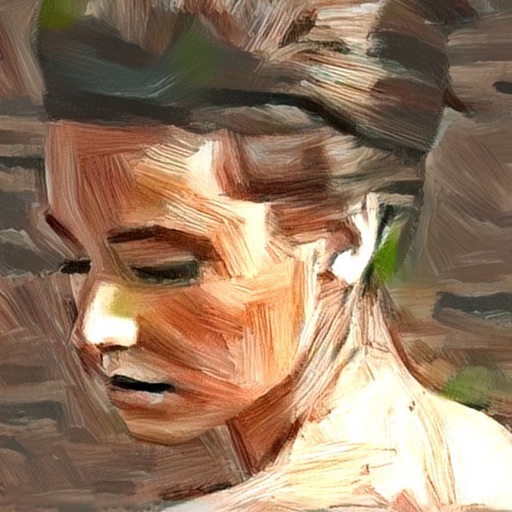
Turn photos into artistic portraits using AI-generated styles inspired by famous paintings. Choose from various art techniques and adjust details. Save and share the final artwork in different formats.
Create Instagram feeds and stories with customizable templates. Adjust layouts, add text, and apply filters. Export posts and stories directly. Sync with Instagram for seamless sharing.
Edit photos with filters, cropping, and adjustment tools. Create collages using templates, grids, and layouts. Add text, stickers, and . Share edited photos directly.
Apply retro filters, lightleaks, timestamps, and frame effects to photos. Share edited photos with friends. Access premium filters and textures via Pro subscription.
Edit images with filters, effects, and background erasing. Add , stickers, and shapes to . Use layers for advanced editing. Access a large font library and sticker collection. Create flyers, posters, and social media content.
Create social media covers and profile art with customizable templates, fonts, stickers, borders, and filters. Upload free stock images. Edit designs with drag-and-drop tools. Export in various formats.