Apps Like Filter Editor use Effects Tool for iPhone and iPad
Edit photos with filters and text
Edit photos using adjustable filters for brightness, contrast, saturation, color temperature, highlights, shadows, and color. Add text to images for customization. Preview in real time. Remove previous settings. Save edited photos to the device.
by 惠满 贺★ 4.713 ratingsPhoto & VideoFreeData updated 2026-09-12
The app allows users to customize their iPhone camera with various atmospheric photo styles. It offers adjustments for brightness, contrast, blur, focus, and vignetting, along with 18 color filters.
Edit photos and videos with 500+ . Apply trendy aesthetic filters and overlays. Import DNG into for customization. Enhance social media content with professional-grade editing tools.
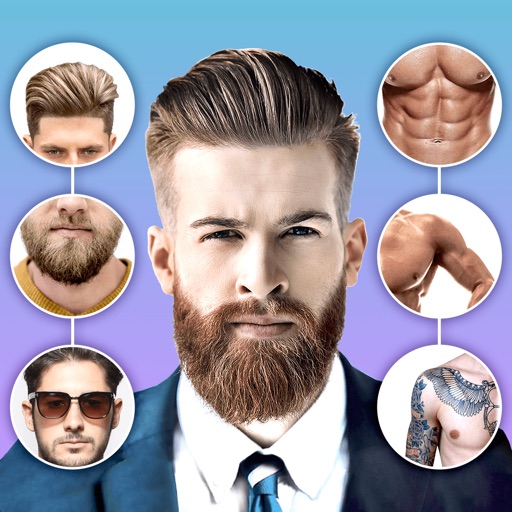
Edit photos with body shape modification tools and hairstyle customization options. Adjust skin tone and facial features. Add filters and effects. Export edited images in various formats and share directly.
Take selfies or select from the photo library. Apply single-tap filters for self-portraits. Save photos and share to Twitter or Facebook. Includes self-timer and professionally designed effects.
Create collages by combining multiple photos into layouts. Choose from 50+ grid styles and tree or 3D modes. Edit photos with cropping, filters, and text addition. Share finished collages directly.
Edit photos with enhancement filters. Adjust levels from light to extreme. Apply male or female-specific body shapes. Transform images instantly with AI-powered realism. Share edited photos directly.
Edit photos to improve clarity and sharpness using AI technology. Remove blurriness and enhance image quality. Adjust brightness, contrast, and color. Save and share edited photos directly.
Create with customizable designs organized into categories like birthday, love, and nature. Add background to photos. Edit images by adding text, stickers, and decorative elements. Export and share edited photos.
Capture photos and videos with film effects including retro filters, grain, light leaks, and analog imions. Apply 8mm and VHS video styles. Shoot directly from the without editing or registration.
Apply age-changing filters to photos to visualize future or past appearances. Adjust aging levels manually. Upload images to test age regression or forward aging. Save and share edited results.
The app allows users to crop photos into a square shape for posting on Instagram. It supports both landscape and portrait orientations and offers various background options and effects.
Edit photos with background removal, image enhancement, and adjustment tools. Add text, stickers, and filters. Export in multiple formats and share directly.