Browse and download high-quality . Filter by categories like nature, cityscapes, and abstract. Receive a new wallpaper daily. Organize and set directly from the . Sync with iPhone settings. No additional apps required.
Create custom bordered wallpapers from your photos
Create custom bordered wallpapers by importing photos from your library or selecting included images. Adjust border color, style, and opacity. Export wallpapers to your photo library and apply them to home or lock screens.
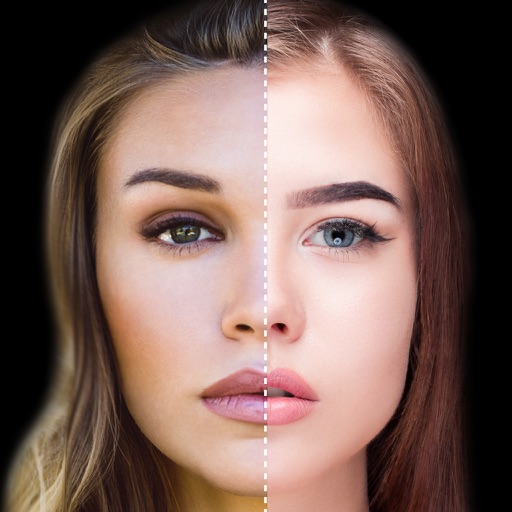
Find lookalikes using AI. Create collages with gradient face-to-face effects. Share with hashtag #looklikeme. Transform photos into art with AI styles. Upscale images for better clarity. No photo storage.
Find quotes by topic and create custom . Select from solid color, gradient, or photo backgrounds. Choose fonts and customize text with emojis. Adjust size, color, transparency, and layout. Preview and save the design.
Create custom wallpapers with scaling and resizing options on various backgrounds. Choose from color, gradient, pattern, bokeh, and text effects. Apply parallax effect for all iPhone and iPad devices.
The app provides tools to add text to images. Users can select from over 400 fonts, install additional fonts, and customize text size, color, and orientation.
The app allows users to create Hollywood-style trailers and movies with titles, transitions, and music. Users can select albums or groups of videos and images, and the app will create a video with no editing required.
Create typographic designs by selecting a background and typing . The automatically arranges with various fonts and typefaces. Export designs and share them directly.
Create graphics and animations with multiple layers of video, graphics, and audio. Edit vector and bitmap elements directly on your device. Use 160+ effect building blocks to design complex visual effects.
Create and customize home screen wallpapers with gradient and blurry effects. Preview wallpapers directly on Home Screen widgets. Change wallpapers automatically using Shortcuts. Share and explore a library of elegant designs.
Create poster or template collages with up to 20 photos or videos. Add text to images or videos. Edit photos with filters, cropping, and adjustments. Enhance visuals with artistic text overlays. Export collages in multiple formats.
The app joins photos vertically, horizontally, or in 2D by blending or abutting them. Users can edit individual photos or the blend output in the image editor, supporting up to 16 photos.
Create customizable or count-up widgets with multiple themes, styles, and icons. Set countdowns for events like birthdays or holidays. Display widgets on standby, lock screen, or as transparent overlays. Sync across devices using iCloud.
Edit photos by applying local filters to specific image areas or text. Add multiple graphics and text elements with different filters. Export edited images in various formats and share directly.