Apps Like PhotoGenik filter Pro editor for iPhone and iPad
Apply filters to photos and videos
Apply filters to photos from the gallery or during capture. Choose from twelve unique styles including cartoon, sketch, and paint effects. Edit images with artistic filters and save or share the modified photos.
by induben barai★ 4.4111 ratingsPhoto & VideoFreeData updated 2026-09-12
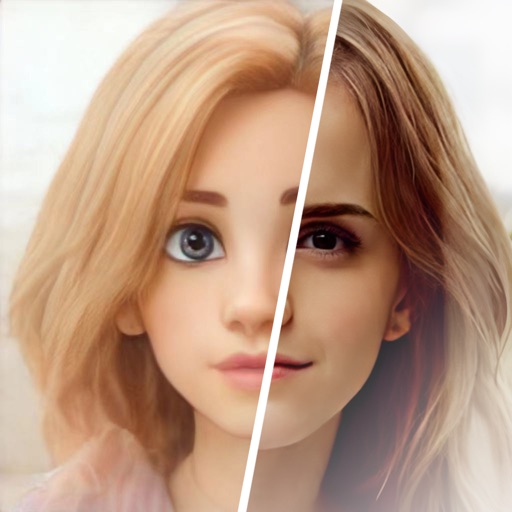
Transform photos into -style images or cartoon avatars using AI. Apply filters like toonify, face child, and reface. Edit portraits with artisan tools. nime or 3D characters. Share edited images directly.
Create videos from text or images using AI effects. Apply AI-generated hairstyles and outfits to profile photos. rt in cartoon styles or old school yearbook trends. Add face filters and makeup to photos.
Turn photos into drawings, cartoons, or sketches with one click. Apply various effects including black strokes, white strokes, pastel, and halftone. Adjust edge strength, opacity, contrast, brightness, and saturation.
The app offers intelligent cutout software for easily removing persons and objects. Users can create identification photos, parody pictures, and save PNG images with various material options and background styles.
Edit photos with AI art filters and creative effects. Generate AI videos using advanced models. Animate images and apply styles. Export edited photos and videos in various formats. Share content directly from the .
Edit photos with , oil painting, art, dream, sketch, magic, anime, and comic filters. Apply effects to selfies or images. Save and share edited photos directly.
Edit videos and stories with AI-powered tools. Add stickers, filters, and animations. Copy and paste assets between apps. Save media to camera roll for use in other editors. Organize favorites and apply styles with one tap.
Apply art to photos for creative visuals. Add spiral effects and blur backgrounds. Use emoji art, background art, and outline art to enhance images. Apply AI, cartoon, neon, and mask effects. Create retro, atlantis, and big camera styles.
Create sketches from photos or camera captures with "," "Doodle," and "Hatch" styles. Adjust colors for black-white or vibrant results. Save images with a single tap. Share generated sketches directly.
Edit photos, create avatars, generate digital artwork
Edit photos with AI-powered effects, including 3D avatars, anime-style portraits, and pencil sketch filters. Customize artwork with color adjustments and effects. Export and share transformed images directly.
Transform photos into clay-style cartoon art using AI. Upload images to generate unique artworks. Customize details like colors and expressions. Share creations on social media platforms.
Edit photos with neon, shadow, and synthetic effects. Adjust brightness, contrast, and color. Add text, stickers, and transparency. Apply blur, cartoon processing, and halftone patterns. Invert colors and use copy-paste tools.
Create AI-generated images and videos from text input. Use pre-designed templates for social media content. Edit and enhance visuals with built-in tools. Share directly to platforms like TikTok and Instagram.
Transform photos into -style artwork using AI. Select an image from the camera roll. Apply filters via AI processing. Save the result and share it directly.
Analyze aging progress with facial recognition. Apply trendy hairstyles and colors instantly. Animate selfies and photos with singing effects. Edit videos with high-quality templates and transitions. Create cartoon self-portraits.