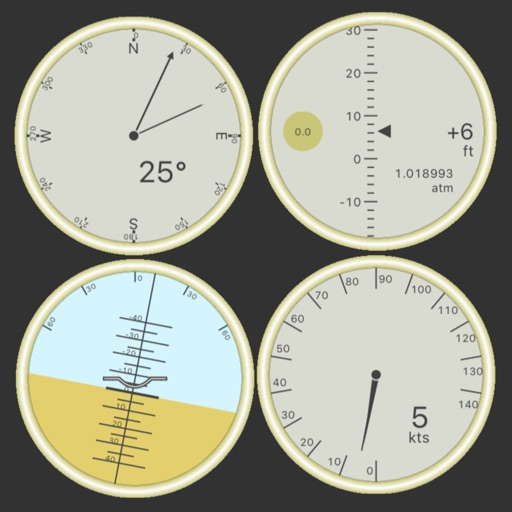
Customize dashboards with configurable gauges like speedometer, odometer, GPS altimeter, barometric altimeter, accelerometer, artificial horizon, compass, and elapsed time. Swipe to switch views and access real-time sensor data from iPhone or iPad.
Customize home and lock screens with fully editable widgets. Add elements, select data sources, apply effects, and arrange layouts. Assign widgets to screen slots for personalized information displays.
Navigation allows users to view and share GPS coordinates in six formats. It includes a , altitude, distance, and sunset/sunrise tracking. Users can set and edit waypoints with photo or audio notes.
Print labels using a label printer over a local wireless network. Open pre-designed labels quickly. Create custom labels with graphics or photos. Print address labels from contact lists.
Print labels, barcodes, and addresses. Connect via Bluetooth. Choose from multiple sizes. Support PDF and image files. Access an online store for label templates and customization.
Record photos and videos with real-time data overlays. Use augmented reality for navigation. Access proven navigation and image processing technologies. Capture geospatial data during recordings. Share media with embedded location and time stamps.
View real-time GPS maps and switch between map and views by holding the device. Track heading, , altitude, latitude, longitude, speed, and temperature. Use a for accurate navigation and monitor speedometer and temperature readings.
Add text, logos, digital signatures, QR codes, and timestamps to . Batch multiple images at once. Set dates and timestamps. Export watermarked directly.
View and convert geographic across multiple formats and datums. Manage locations with an intuitive interface. Display current location at the intersection of two grey lines. Export in various global systems.
Record data with pre-designed templates for engineering, office, and field use. Automatically fill in time, location, weather, and device info. Add custom watermarks and save entries with timestamps.
Shanghai Zongchong Information Technology Co., Ltd
Capture moments with AI suggestions
Allows users to capture photos with AI-powered recommendations. The analyzes lighting, colors, and subject matter to suggest tailored templates. Users can apply these templates to their images for precise and visually appealing proof of capture.
Create custom labels with font, symbol, border, icon, picture, and doodle editing tools. Connect to NIIMBOT printers via Bluetooth. Manage label collections and access a user plaza for sharing and organizing.
Create and save custom layouts for printing. Connect smartphones or tablets to printers wirelessly. Access photos directly from the device’s library. Use collage tools to arrange and decorate images before printing.