Apps Like Ibbleobble Teacher Toolkit Stickers for iMessage for iPhone and iPad
Create, share, and customize
Create and share sticky notes with text and images. Use multicoloured Post-It notes, chalkboard, and whiteboard features. Drag, drop, and scale notes to highlight errors or send reminders.
by KidDotCo Ltd★ 2.85 ratingsStickersFreeData updated 2026-09-12
View conference schedules, presentations, exhibitors, and speaker details. Take notes on presentations, posters, and exhibitors. Draw on slides directly. Share information with other attendees.
Create drawings with realistic pencil, marker, and crayon tools. Choose from bright and soft color options. Use notebook-style pages for sketching, doodling, or coloring. Save and share drawings directly.
Game for children allows users to select from 5 themed sets with 75 pages. Choose from pencils, brushes, paints, and various strokes. Add backgrounds and special effects. Save drawings and share them.
View conference schedule, presentations, exhibitors, and speaker details. Take notes on slides, posters, and exhibitor info. Draw directly on slides. Share notes via in- messaging, email, and social media.
Create and edit handwritten notes and sketches on virtual paper, WhiteBoards, PDFs, images, and Microsoft Office documents. Zoom in and out extensively for detailed work. Sync notes between iPad and iPhone using iCloud.
Identification through audio and visual courses created by field experts. Listen to calls, study plumage details, and test knowledge with quizzes. Track progress and access a library of species information for North American birds.
View schedules, presentations, and speaker details
View conference schedule, presentations, exhibitors, and speaker details. Take notes on slides, posters, and exhibitor information. Draw directly on slides. Share notes via in- messaging, email, and social media.
Learn with clinical dialogues based on real hospital cases. Practice terminology used in emergency care and daily rounds. Engage in interactive speaking scenarios to improve communication skills.
Browse presentations, speaker details, and event resources. View session slides and annotate with drawings and highlights. Take notes per slide and save them online for access through your personal summary.
Access presentations and slides from the annual conference. Search by title or number. Draw and highlight on slides. Take and save notes online. View conference posters and search by number or title.
Learn through interactive with a patient . Choose times tables to practice. Train in addition, multiplication, subtraction, and division. Track progress with a history of games. No internet connection required.
Browse presentations, speaker info, and exhibitor details
Browse meeting presentations, speaker, and exhibitor details. View session slides and annotate with drawings and highlights. Take notes per slide and save them online for later access through a personal summary.
Learn through interactive -inspired tools. Practice number sense, addition, subtraction, multiplication, and division with adaptive lessons. Complete activities that reinforce concepts and track progress over time.
Browse presentations, presenter, and exhibitor details from events. Access session slides and annotate them with finger drawing and highlighting. Take notes per slide and save them online for later access.
Vocabulary through CEFR-aligned wordlists and topic-based categories. Practice grammar with interactive exercises. Track progress with personalized learning paths and set daily study goals. Export notes and review materials offline.
Explore a virtual environment with interactive classrooms, a science lab, cafeteria, and more. Play roles like teacher or cleaner. Transfer items between apps in the "My " series. No time limits or scores.
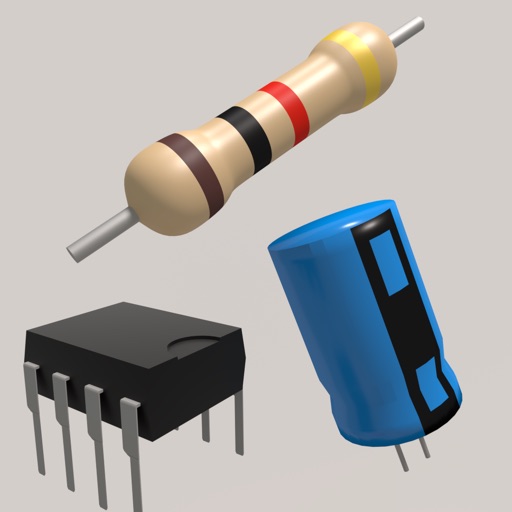
Toolkit provides resistor calculations based on color codes or SMD values. It includes an LED resistor calculator and parallel resistor tools. Users can reference electronic components and formulas for design and troubleshooting.
The app provides a simple sticky notebook with a clean interface. It allows users to create, delete, and edit notes with various options and colors, keeping them handy in the cloud with multiple device support.
Create drawings with realistic , blackboard, and marker pen textures. Add sound effects during drawing. Use an intuitive interface to sketch lunch menus, todo lists, and humorous images.