Apply AI-based filters to transform photos into -style art. Choose from various pre-designed templates. Edit and save modified images directly. No internet required for processing.
by Osawa Shunsuke★ 4.817 ratingsPhoto & VideoFreeData updated 2026-09-12
Edit photos by adding customizable styles to faces. Select from various hairstyles, edit details, draw, and add stickers. Share modified images directly. Apply filters and adjust settings for enhanced visuals.
Create DSLR-style photos with background blur by selecting focus areas. Apply various filter effects for natural and realistic results. Adjust focus precision for professional-quality images.
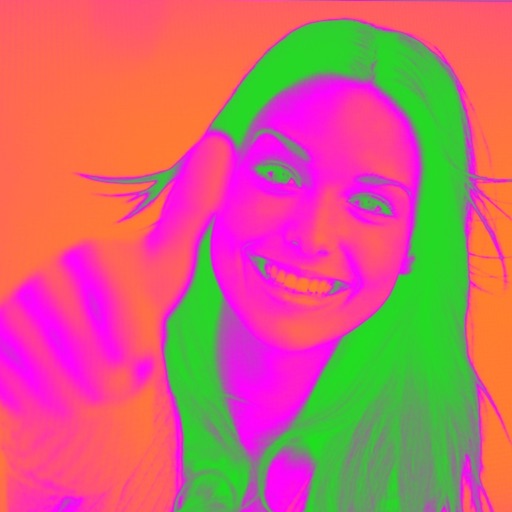
Turn your camera into a creative tool with . Apply fluorescent color filters to photos. Choose from 30 color combinations. Tap to switch views and capture images with unique color effects. Share edited photos directly.
Create digital paintings from text prompts and art style selections. Choose from styles like Van Gogh, cinematic, or Ghibli. Generate images based on user input and artistic preferences. Edit and refine generated artwork within the .
The app uses artificial intelligence to transform pet photos into unique portraits. Users can create personalized pictures of their cat or dog in various artistic styles.
Edit photos with , bend, and distortion tools. Apply one-click makeovers for facial and body changes. Adjust body shape, slim down, or enlarge features. Save and share modified images.
Intelligent : Outline the subject to automatically remove it from the photo. Save images to system album or application album. Edit saved images directly within the .
Capture photos and videos with a for a vintage look. Adjust noise levels and apply retro filters. Record audio with a simple interface. Save and share images in low-resolution format.
Create bedtime with AI-generated narratives. Choose story styles, themes, and built-in characters. Customize characters using family photos or AI-generated images. Add sound effects based on keywords during reading.
Use machine learning to compare your face with celebrity actors. Take a photo via camera or select from gallery. Share comparison results or save them. View details about actors' filmographies and TV appearances.
Faces in photos using AI technology. Apply swaps to images from the gallery. Enhance videos with AI to improve clarity and quality. Use customizable templates to create edited videos. Export and share modified content directly.
Edit photos with filters, collages, and stamps. Add text and stickers. Save to albums. Share directly to blogs and social media. Apply toy camera effects. Adjust brightness and contrast. Crop and resize images.
Create by adding text, images, and effects to photos or videos. Choose from pre-designed templates. Share directly to social media or messaging apps. Edit content with filters, stickers, and animations. Save or export in various formats.
Create digital art using AI by entering descriptive prompts and selecting art styles. Generate unique images based on text input. Choose from various AI-powered art styles to customize the output. Export and share the generated artwork.
Play against AI opponents or connect with friends via Game Center. Choose from single-player, multiplayer, or local network modes. Track scores and compete in various game settings.