Split videos into customizable 15-second clips. Save high-quality clips to the photo library. Choose from predefined durations or set custom lengths. Share clips directly to social media platforms.
Edit photos by blurring backgrounds, faces, or specific subjects. Apply various effects and filters. Save edited images to the camera roll or share them directly.
Create videos using AI with customizable templates and voiceovers. Generate AI-powered dance movements for videos. Design images with AI tools that suggest styles and edits. Edit and enhance videos with built-in effects and filters.
Cut long videos into precise segments for . Trim selected parts with accurate timing. Export clips to share on , Twitter, Facebook, Instagram, Snapchat, and TikTok. Save edited videos to device storage.
RAY INFORMATICS YAZILIM TEKNOLOJI MEDYA DANISMANLIK VE EGITIM TICARET LIMITED SIRKETI
Enhance, restore, and upscale photos
Edit photos with unblurring, enhancement, and upscaling tools. Restore damaged or faded images. Adjust clarity and sharpness. Save and share edited photos directly.
Create collages using 30+ templates including grids and squares. Add photos from camera or library. Capture live camera images directly. Save and share images. Customize border colors.
Create double exposure effects by blending two images. Adjust opacity and alignment for custom overlays. Save and share edited photos directly. Access advanced editing tools with a premium subscription.
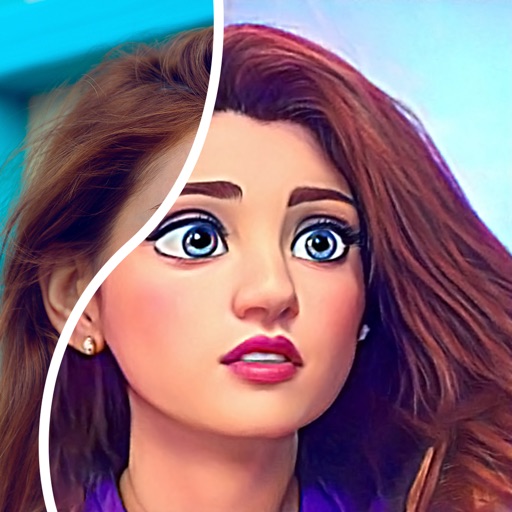
Convert photos into comic styles using AI algorithms. Edit avatars with retouching tools. Access various comic templates. Apply filters and adjust images for effects. Share edited images directly.
In supported or browsers. Preview from popular services. Create QR codes and shortened via long press. Launch from other using action extensions. Choose preferred browsers for link opening.
Capture photos and videos from a rotating 360-degree camera. Edit images with basic tools. Share content directly to social media. Sync with compatible photo booths for seamless integration. View and manage media in a gallery.
Create realistic artwork with pencil, brush, pen, and marker tools. Import images as layers and edit with eraser, ruler, compass, and other tools. Add stickers and use layer management for detailed painting and design.
Videos by adjusting bitrate, frame rate, and resolution to save storage space. Automatically or manually split long videos into shorter clips. Manage and share the split videos directly.
Edit photos by adding custom logos. Choose from Square, Landscape, or Portrait formats. Import images from the photo library. Add custom text to create a . Adjust font, size, rotation, and color. Position the anywhere on the canvas.
Explore quantum mechanics concepts through interactive simulations. Choose decisions that split realities. Track outcomes across parallel universes. Learn about quantum theory through guided explanations and visualizations. Share results with others.
Divide panorama photos into square pieces. Share to Instagram, Twitter, Line, and WeChat. Crop images easily. Use seven grid layouts including 12, 13, 22, 23, 33, 43, and 53. Adjust FillMode with dimensions from 1x1 to 10x10.
Customize Apple with particle designs, colors, and textures. Add personal photos and wallpapers. Preview designs in AR. Install images and animated directly to the . Edit and save face settings.
Edit photos with oil painting, sketch, and other artistic filters. Apply effects using AI-enhanced tools. Save and share edited images directly. View and manage gallery within the .