And arrange , bass, and drum parts in compositions. View and edit tablature for and drum parts. Use MIDI and Inter- Audio instruments for background sounds. Build harmonies and visualize note relationships.
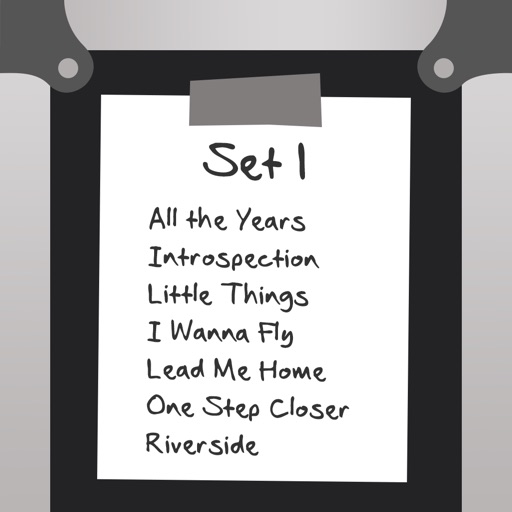
Catalog and organize chord charts and lyrics. Import from online sources or create new charts. Sync across devices via iCloud. Build and share setlists. Transpose, capo, or rewrite chords. Use with metronome, autoscroll, and chord buttons.
The app catalogs songs, storing artist, title, tempo, duration, key signature, lyrics, and chords. It prompts lyrics on screen with customizable font and color, advancing via swipe or Bluetooth pedal.
Simulate guitar and bass amplifiers on iOS devices. Connect guitar via digital audio interface. Use IR Loader to load amplifier models. Build custom sound chains with amplifiers, cabinets, stompboxes, and processors.
Create and produce music with beat-making, track composition, and sampling tools. Record and sequence audio and MIDI. Use high-quality UVI instruments and effects. Export mixes, stems, or project files. Share tracks on YouTube or SoundCloud.
The app connects to a Planning Center Services account for digital music reading. Users can view PDFs, turn pages hands-free, and take notes with annotation tools.
Practice rhythms and compose music with customizable patterns and notation. Track practice sessions and set goals. Schedule rehearsals and manage setlists. Export and print sheet music. Collaborate with other musicians in real time.
Play rhythm-based games by tapping notes in sync with music . Choose from multiple key layouts including 2-key, 4-key, and 6-key. Complete challenges to unlock rewards. Customize stages, special effects, and character skins.
Create music using touch-based sampling and gesture recording. Explore samples for melodies and textures with various play modes. Record compositions and experiment with audio in real-time.
The app provides access to over 15 million songs across more than 200 genres, allowing users to download and stream music. Users can explore curated playlists and discover new releases and audiobooks.
Listen to offline without an internet connection. Import tracks from Files, iCloud Drive, Apple , or cloud services like Google Drive, Dropbox, OneDrive, pCloud, and Box. Transfer wirelessly via drag-and-drop.
Create custom click tracks with detailed tempo, time signature, and subdivision controls. Design transitions, accents, and count-offs for rehearsals. Tune instruments using built-in tuning tools. Export tracks for practice or sharing.
Lets users play multiple audio and MIDI files using playlists. It supports routing audio tracks to USB interface outputs and uses headphone output as additional channels. MIDI files can be played with a dedicated MIDI player.