Monitor and record video footage from multiple cameras in real time. Access live streams and playback recordings. Set motion detection alerts and manage user permissions. Share footage securely via email or cloud storage.
by REACH UC LLC★ 4.319 ratingsUtilitiesFreeData updated 2026-09-12
View live video streams from cameras and encoders on iPhone or iPod Touch. Control pan, tilt, and zoom. Save snapshots to the photo gallery. Stream directly without third-party servers. Support landscape and portrait modes.
Track coins with real-time price updates and market data. View live price charts with volume and market cap. Monitor trending coins and sentiment analysis. Set price alerts for specific assets. Share insights via social media or email.
View live camera feeds, take photos and videos, preview recordings, and download content. Share footage via links or messages. Engage in two-way audio communication. Adjust camera angle up to 60° vertically and 360° horizontally.
Record content with HD video output up to 1080P. Capture game highlights and tutorial videos. Sync audio from device or external source. Share recorded content directly. Create live broadcast clips and custom recordings.
The app allows users to view and control Wirepath Surveillance NVR and IP cameras remotely. Users can watch live video, search and playback recordings, and capture snapshots.
Control drones, view real-time video, record photos
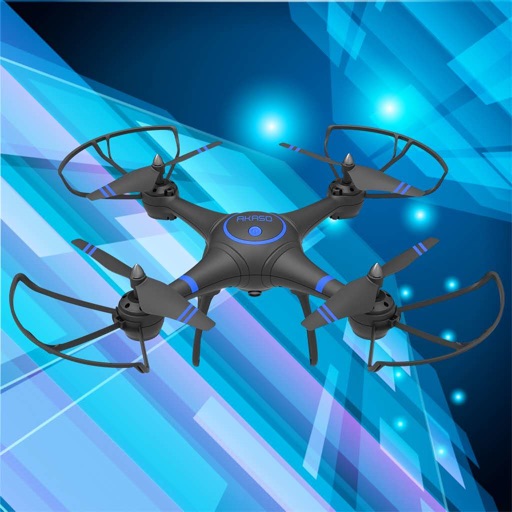
Control a four-axis drone via WiFi. View real-time video feed from the drone's camera. Capture photos and videos using the device. Enable VR mode for immersive viewing. Use voice commands for flight control.
Connect to a Wi-Fi-enabled security camera via smartphone for real-time monitoring. Set up and manage camera settings with clear icons. Adjust video and photo quality. Record and view footage remotely.
Turns smartphone or tablet camera into a surveillance camera. View and record video streams from DW Spectrum IPVMS or VMAX IP Plus NVR. Connect using IP address, port, username, and password. Start and stop recording with controls.
Control drones with real-time video streaming and remote sensing. Adjust trajectory and use gravity induction. Capture gestures and video. Apply image filters and split screens. Record audio with video.
Record screen and audio with high-resolution clarity. Capture live streams, videos, and presentations. Share recordings across multiple platforms. Save files in various formats. Control recording settings and manage storage space.
Control a drone via Wi-Fi for real-time video streaming. View live footage on the phone. Adjust flight settings and capture photos or videos. Share media directly from the .
Access camera feeds using login and password from account. View live and recorded footage from cameras in common areas, entrances, and surrounding zones. Monitor multiple locations and retrieve video clips for review.
Control multiple devices simultaneously. Start and stop recordings. Adjust input gain during recording. Monitor audio levels with a VU meter. Record video or audio directly to the mobile device at 48kHz. Sync microphones using Timecode.
Record audio with professional quality and background recording options. Convert music, video to audio, and text to speech. Use voice-to-text features and access a library of recorded files.
The app displays cameras and groups, allowing for live viewing and searching recorded footage. Users can export snapshots and videos, adjust image quality, and manage playback speed for recordings.
The app provides live video viewing from iPhone and iPad devices. It includes an interactive map of monitoring sites and cameras, with the ability to tag selected cameras for quick access.
Monitor fuel levels and tank data in real time. Track inventory and sales performance. Set up user permissions and access controls. Generate reports and receive alerts for anomalies. Integrate with existing systems for automated data updates.
Monitor security cameras with live view and playback. Receive push notifications for motion or activity. Control PTZ cameras remotely. Adjust system settings and manage surveillance schedules.
View live streams, control cameras, adjust settings
View live video and audio streams from IP cameras. Add, edit, or delete cameras. Control pan, tilt, and zoom with swipe gestures. Adjust camera settings like brightness and resolution. Save or share snapshots. Set preset positions.