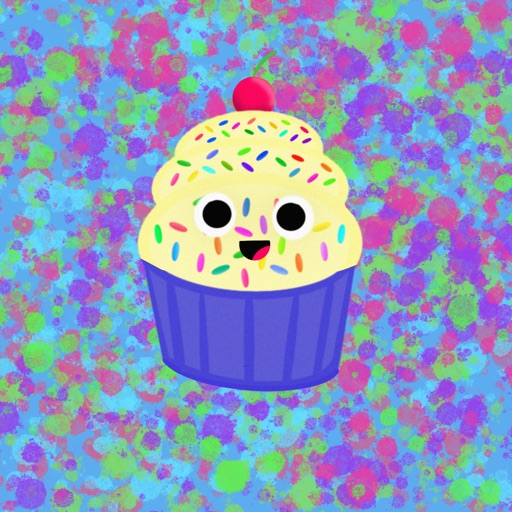
Attach a cute to messages. Choose from various styles. Add text or emojis to stickers. Share stickers with contacts. Save favorite stickers for quick access.
by kazuya fujinami★ 5.01 ratingsStickers$0.99Data updated 2026-09-12
Access stickers by opening a message, tapping the ">" button, then selecting the Store button. Choose from animated and non-animated stickers to express feelings and moods in conversations.
Use chat stickers featuring Lara Croft in various moods to express emotions. Customize messages with illustrated characters from . Share stickers in messaging apps without additional costs.
Send animated stickers of pastries and to iMessage. Choose from various food-themed animations. Add stickers to messages to express emotions or add humor. Share with friends and family in real-time.
Send and receive animated stickers in iMessage. Choose from 24 unique high-quality animated stickers. Add expressive reactions to conversations. Share stickers directly within messages.
Add Islamic stickers and emojis to messages. Choose from curated religious designs. Share stickers with contacts. Customize sticker packs. Save favorite stickers for quick access.
Send text-based stickers featuring themes for iMessage. Choose from a variety of expressive designs for greetings, goodbyes, and everyday messages. Customize placement and send directly within conversations.
Add animal stickers to messages. Choose from 27 designs. Send directly in iMessage conversations. Customize sticker placement and size. Share stickers with contacts.
Add to iMessage conversations. Tap the Store icon in iMessage, navigate to the Manage tab, and install the stickers. Use them in messages by tapping the icon and selecting from the collection.
Send and receive animated stickers in iMessage. Choose from 24 unique high-quality animations. Includes 8 free stickers; purchase for full access. Add humor and expression to conversations.
Create and save custom stickers. Share stickers with contacts. Add text and emojis to stickers. Choose from various sticker themes and styles. Edit sticker size and orientation. Export stickers in multiple formats.
Send and customize messages with 30 cat stickers featuring cute ginger cat designs. Choose from various expressions and animations. Share stickers via iMessage. Dark mode optimized.
Create and share custom sticker for text messages. Choose from a variety of unique feline-themed stickers. Add stickers to messages during conversations. Rate stickers and suggest new ones for future updates.
Send photos and videos via iMessage. Add stickers to messages. Access sticker packs through the store within iMessage. Share content with friends using animated and static stickers.
Use Halloween-themed stickers to personalize messages. Add animated effects to stickers. Share stickers with contacts. Customize sticker size and position. Save favorites for quick access.
Share stickers of in chat conversations. Customize sticker size for larger display. Add stickers to messages and conversations. Use sticker packs for themed messaging. Send stickers directly to contacts.
Use stickers featuring characters to personalize iMessages. Add stickers to conversations, browse the sticker library, and manage favorites. Share stickers with contacts via iMessage.
Use stickers to animate and express emotions in messages. Choose from various cat-themed stickers. Add stickers to conversations. Share sticker packs with contacts. Customize sticker size and position.