Create and layer sounds using up to four independent synthesizers. Each layer includes three VCOs, a sample or wavetable source, and recording capabilities. Set up to 16 voices per layer.
Practice with interactive exercises that improve accuracy, rhythm, and note recognition. Use MIDI instruments, microphone input, or on-screen keyboard for flexible practice. Track progress and refine musical skills through targeted sessions.
Create and customize sounds with a wide range of synthesizer presets. Adjust knobs and parameters to design unique tones. Load AudioUnit plugins in DAWs. Connect via MIDI to external keyboards.
Create and edit sequences with step-based patterns. Connect steps using conditional wormholes for structured or random variation. Adjust melodies in real time without affecting the groove. Sync with external devices for live performance.
Create music using a grid-based with clip arrangement. Manipulate clips through copy, duplicate, merge, combine, and drag-and-drop actions. Access quantize and clip length tools. Connect to plugins and external devices for sound generation.
Create beats using built-in samples or imported audio. Add and arrange sound kits. Adjust tempo and volume. Export tracks in various formats. Share finished beats directly.
Create drum sounds and synthesize vocals using a 24-part sound engine. Use a pattern sequencer to arrange beats. Apply effects including a Phrase Vocoder that converts text to vocal-like sounds. Adjust vocal characteristics such as gender.
Create and arrange melodies, bass lines, and drum beats by moving dots on the screen. Switch chords and patterns instantly. Apply delay and reverb effects to instruments. Tap or drag to build sequences. Sync with AirPlay for playback.
Sends modulation control data to music apps and synthesizers. It features four independent LFOs with seven-bit CC messages. Users can adjust waveform shapes and modulate amplitude and rate between LFOs.
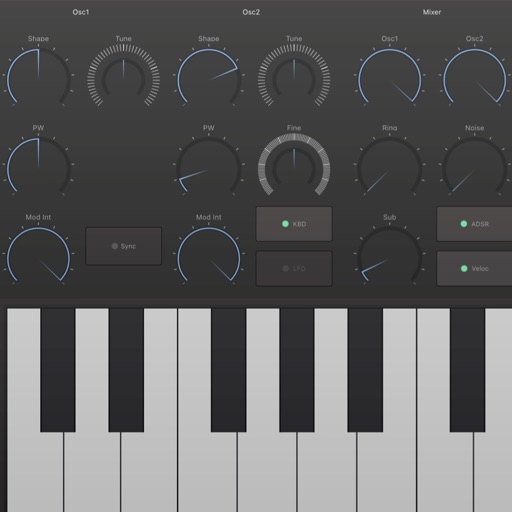
Create and customize analog-style sounds with up to 8 voices. Adjust oscillators, sub-oscillator, and noise source. Use AUv3 for integration with DAWs. Design patches with classic synth parameters.