Record videos and live streams with automatic scrolling. Paste or sync scripts to the panel and start recording. View lines in real-time while filming or streaming. Adjust text size and speed for optimal visibility.
The app allows users to visualize new paint colors on their walls before painting. Users can try colors from a palette or sample real-world colors and apply them to photos of their home.
The app offers a private vault for photo storage, secured with Face ID, Touch ID, or a passcode. It includes editing tools like filters, adjustments, effects, cropping, and text overlays.
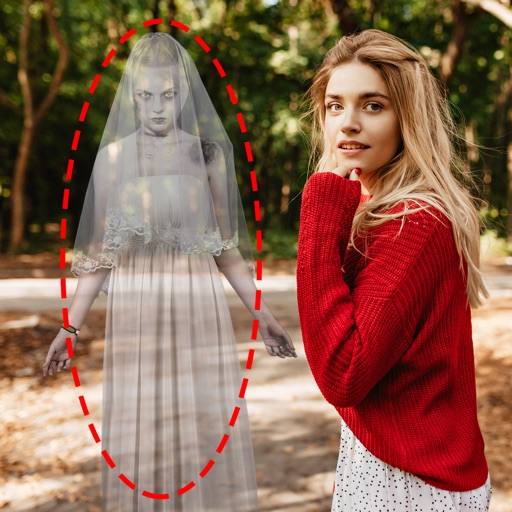
Edit photos by adding ghosts, monsters, or zombies from 62 options. Adjust transparency, color, saturation, brightness, and contrast for each creature. Position and resize creatures freely. Share finished photos with friends.
The app is a drawing, animation, and tilemap application. It allows users to create spritesheets, edit frames, and export creations to PNG, animated GIF, and CSV files.
The app allows selective editing of photos with filters, effects, and adjustments. Users can apply multiple effects to specific areas or the entire image, offering extensive creative possibilities.
Convert colors between HEX, RGB, RGBA, CMYK, Lab, and HSB formats. Use the picker to select and copy codes. Adjust values manually or through preset swatches. Export codes for use in design projects or coding.
Edit photos with HDR effects, filters, and detailed adjustments. Enhance images with powerful lighting and contrast tools. Save and share edited photos in various formats.
Create and manage albums. Import and export from the photo . Preserve and view Exif data including date, ISO, and GPS. Search by caption or description. Create slideshows and play videos. Edit with cropping, orientation adjustments, and filters.
Capture photos using a 1-bit camera with only black and white pixels. Choose from three pixel resolutions and an 8-color mode. Features chunky buttons, mechanical sounds, and clean PNG output for printing or further use.
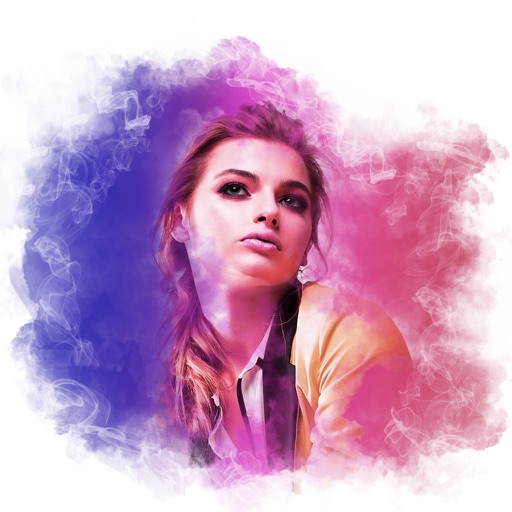
Edit photos with blur background settings, shattering effects, and color frames. Add overlays and crop, rotate, or flip images. Import from gallery or camera, and share edited photos to social media.
Create and share digital art customizable brushes, unlimited colors, and layer support. Zoom, pan, and adjust brush parameters. Rotate, mirror, and undo steps. Participate in challenges like tracing or completing others' drawings.