Apps Like Photomontage with Santa Claus for iPhone and iPad
Create montages and share them friends
Create montages by selecting images from the camera or gallery. Adjust photos by moving, scaling, or rotating. Share finished montages friends or social media platforms.
by Mireia Lluch Ortola★ 4.517 ratingsEntertainmentFreeData updated 2026-09-12
Select and apply unique to images. Choose photos from gallery or camera. Rotate and scale as needed. Save, share, or set photos in gallery. Display all saved photos in a list.
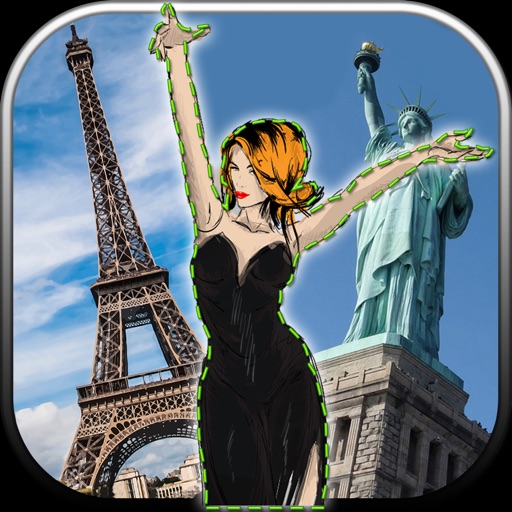
Edit photos by removing unwanted backgrounds and replacing them with scenic images. Cut out subjects and paste them onto new backgrounds. images for seamless montages. Share edited photos directly.
Create by selecting from various and adding photos from the gallery or camera. Adjust photos with zoom, rotate, and move gestures. Save and share customized greeting through social networks.
Create by adding photos or to customizable frames. Adjust images with zoom, rotation, and movement. Choose background music or mute the video. Share finished with friends and family.
Edit photos by adding ghosts, monsters, or zombies from 62 options. Adjust transparency, color, saturation, brightness, and contrast for each creature. Position and resize creatures freely. Share finished photos with friends.
Create sketches using ink and effects. Preview effects in real time via camera. Adjust settings for optimal results. Capture photos directly within the . Share finished sketches on social media platforms.
Take multiple photos with customizable delays ranging from 3 to 60 seconds. Use countdown audio for timing. Choose multiple snap options. Control flash settings. Preview photos and share to social media. Save images directly to the gallery.
Create grids using templates like 3x3, 3x4, and 3x5. Edit images with brightness adjustments and add accessories. Share grids directly to Instagram and other social media platforms.
The app allows users to combine facial features from up to four photos to create new face montages. Users can select images from their iPhone camera or photo library to create unique blends.
Create by selecting a photo from the camera or gallery. Choose a frame, adjust its position, rotation, and size. Share the card via social networks or messaging apps.
Create videos using selected images from the gallery. Add text, transitions, and background music. Share videos directly to social media platforms. Edit photos with filters and cropping tools. Export in high resolution for playback.
Edit photos by selecting from the gallery or using the camera. Add and adjust their position, size, and rotation. Crop images by dragging or scaling with two fingers. Share the edited photo directly.
Edit photos by adding such as cupcakes, ice cream, rabbits, and unicorns. Customize images with romantic and cute designs. Save and share edited photos directly from the .
Create -themed with multiple creative options. Select images from gallery or camera. Apply effects for enhanced visuals. Share photos on social media platforms. Save edited images in high resolution.
Create collages by selecting from 1000+ layouts, grids, and templates. Add photos, adjust sizes, and apply filters. Share collages directly to social media or via email. Edit text, add stickers, and crop images within the .
Create collages using 100+ 2D/3D frames. Add images from gallery or camera. Adjust opacity and rotate photos. Include text with custom fonts and colors. Apply effects to enhance visuals. Export and share finished collages.
Edit photos by applying filters and adding eye effects. Choose from multiple eye styles and import images from the camera roll. Share edited photos on social media platforms like WhatsApp, Facebook, and Twitter.