Plus provides arithmetic and scientific calculations with live expression preview and error detection. Perform operations in exact form, fractions, and scientific notation. Switch between standard and scientific modes. Share results directly.
by Wern Jie Lim★ 4.7133 ratingsUtilitiesFreeData updated 2026-09-12
The app offers two modes: portrait for basic calculations and landscape for scientific functions. Users can track entries with multiple tapes and use memory slots for complex calculations.
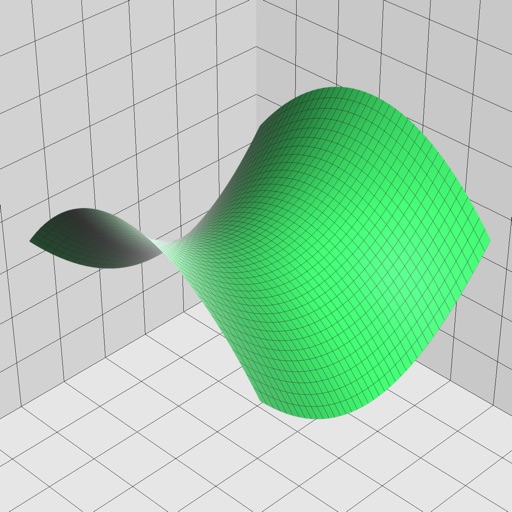
Enter and edit equations in mathematical notation. Visualize 2D and 3D graphs of explicit, implicit, and inequality equations. Adjust settings for display and analysis. Save and share calculations.
Simulate the HP-45 scientific calculator with photo-realistic design and animated keys. Perform all original functions and operations. Access a secret stopwatch. Adjust processing speed between real-time and simulated.
Convert units between metric and imperial systems including area, distance, speed, temperature, volume, time, weight, energy, and power. Calculate area, speed, distance, and volume with supported units. Switch between units quickly and accurately.
Perform complex calculations with scientific functions, trigonometry, and unit conversions. Customize themes, adjust display settings, and save frequently used formulas. Export results and share calculations directly.
The app provides full emulation of the HP50g calculator with its original skin. Users can save and load calculator states, transfer files, and copy/paste results.
Calculate with four modes: basic for arithmetic and percentages, scientific for algebra and trigonometry, programming for command line expressions in multiple numerical systems, and minimalist for simplicity.
Write calculations directly on the screen for real-time results. Edit equations with gestures or add elements anywhere. Drag and drop previous results for reuse. Supports interactive ink for natural handwriting input.
Perform calculations with math functions and trigonometry. Switch between units like feet, inches, yards, and metric. Visualize measurements and fractions. Track projects with customizable templates. Export results in various formats.
Scientific with and conversion capabilities. Perform complex calculations, convert currencies, and switch units. Review and reuse calculation history. Use landscape mode for efficient input and history viewing.
Solve math problems with natural textbook input and fraction support. Trace graphs with touch. Zoom using pinch gestures. Tap for regression analysis. Swipe to scroll through calculation history and matrices. Access help via the ? key.
Allows users to perform basic arithmetic and advanced scientific calculations. It supports trigonometric functions, logarithms, and exponents. Users can switch between simple and complex modes. The features a clean interface and customizable themes.
Provides a keypad for entering digits in apps that lack a . Users can input phone numbers, credit card details, and other numeric information efficiently. The functions as a standalone input method for numeric data entry.
Perform calculations with basic and scientific modes. Switch between portrait and landscape views. Display calculation steps and use a voice-activated . Customize keyboard layout and choose from two skins.
The app records every calculation step, allowing users to modify any step and recalculate without re-entering data. It functions like a printing calculator with a paper tape history for clarity and ease of use.
Solve complex equations with trigonometry, logarithms, powers, and factorials. Graph functions instantly in DEG/RAD mode. Switch between scientific and graphing modes. Store and recall equations. Export graphs and calculations.
Perform calculations with a clean interface. Switch between light and dark themes. Use multitasking on iPad. Access on Apple Watch with complications. Share results via iMessage.