Manage files on iOS devices with local or cloud storage. Transfer files via WiFi using drag and drop from web browsers or managers. Access multiple cloud accounts in one . View, download, and upload files directly.
Manage across multiple cloud storage services including Dropbox, Google Drive, OneDrive, and iCloud. Access and transfer between apps seamlessly. Read PDFs directly and integrate with iOS for unified file management.
View and edit files with syntax highlighting. Manage local files and bookmarks. Search source text. Use tabbed browsing. Access iCloud Drive. Import files via iTunes file sharing.
Organize local and cloud files in one . View and save files from cloud drives to device. Move files between cloud drives. Open documents, presentations, voice memos, and images. Fetch online content and manage files across devices.
Send faxes by selecting documents or taking photos. Enter fax numbers and send directly from the device. Pay per page for on-demand faxing. No need for a fax machine or dedicated line.
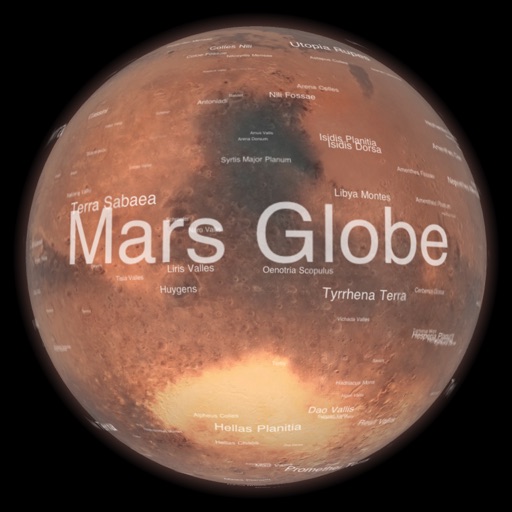
Explore with high-resolution maps and topographic details
Explore a high-resolution 3D model of with topographic lighting and satellite data. Navigate the surface, view annotated features, and access information links. Take a guided tour or explore freely.
Manage one-time passwords with multi-factor authentication. Sign in using FaceID, copy passwords to Mac via iCloud. Backup and sync passwords to iCloud with end-to-end encryption. Export passwords to encrypted ZIP files. Import from previous exports.
Control DMX and Apple HomeKit lights with advanced lighting profiles. Adjust intensity, color, and movement. Manage multiple universes and RDM devices. Search fixtures universally. Customize scenes and save presets for lighting setups.
Language learners can look up words with pronunciation, definition, and example sentences. The includes a , grammar guides, and character stroke order visuals. It supports offline use and syncs across Apple devices.
View DWG, DXF, and MacDraft files locally without size limits. Annotate with text tools and export as PDF. Share or print documents. Collaborate with team members by viewing and annotating files directly.
View PDF, TIFF, KAP, and KML files. Sync with iCloud, Google Drive, OneDrive, and Dropbox. Add placemarks, record tracks, and draw shapes. Share annotations in real time. Use tools like theodolite and georeferencer for map editing.
The app provides a private space for photos, videos, documents, notes, and contacts, disguised as a calculator. Users can access their private world by entering a password on the calculator interface.
Scan and convert documents to PDF with auto-crop and OCR for fast, accurate results. PDFs by adding, removing, or rotating pages. Sync files across devices and manage multiple accounts. Use smart renaming suggestions and text detection features.
Pro lets you transfer and manage files wirelessly between your iOS device and computer via a shared Wi-Fi network. You can send and receive files using a web browser without cables. The supports direct photo transfer from your device to a computer.
Edit images with drawing tools like rectangles, ovals, arrows, lines, and text. Add notes and highlights. Adjust colors and brightness. Save and share annotated images directly.
Collect and edit text across Mac, iPhone, iPad, and Apple Watch. Organize notes with color-coded dots. Switch between dark and light mode. Minimize interface clutter with simple formatting tools. Sync text across devices seamlessly.
Read and navigate files with fast page-turning and quick display. Annotate with finger-writing, sticky notes, text, and drawing tools. Share notes via email or cloud services.
Read and view documents in multiple formats including PDF, DOC, PPT, TXT, Excel, RTF, and others. Open files with one tap. Share documents directly. Access a simple interface for easy navigation and quick file viewing.