Guides users through brewing with step-by-step instructions. Users can select or create custom . Adjust water mass, grind settings, and total time. Track and refine brewing parameters for consistent results.
Scan codes and barcodes to retrieve product and food details. View detailed data cards. Access scan history. Create codes. Perform batch scans and export data as CSV. Subscribe for unlimited scans and ad-free experience.
Scan and detect nearby Bluetooth devices. Connect and debug devices. Read device information and data. Write and store data packets. Save and delete common write data. View signal strength and log data.
Allows users to view live video feeds from IPC and DVR cameras via cloud login using a serial number or QR code. They can play local recordings, take snapshots, search for images, and control PTZ cameras.
Track beans with automatic origin, roast date, and processing method identification from photos. Log brewing methods, water temperature, and extraction time. View detailed analytics and recipe suggestions based on your brewing habits.
Track monthly expenses by category and set a . Log spending directly and view pie charts to analyze spending patterns. Adjust budgets and monitor progress toward financial goals.
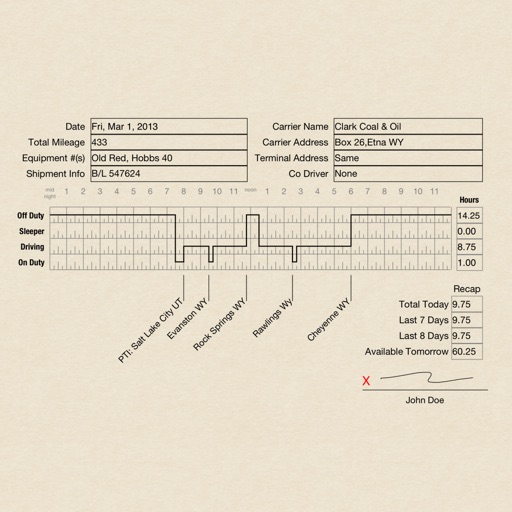
Create RODS for duty status records, sign and email them. Track driving hours, log activities, and print records. Manage logs with pages that require purchase after the first 30.
Scan QR codes and barcodes instantly for quick access to information. Create custom QR codes for personal or professional purposes. Share generated QR codes with others. View scanned results and details.
Scan QR codes and barcodes with a single tap. Decode and display information from scanned codes. Share scanned data via email or messaging. Save scanned results for later reference. Supports multiple code types including QR, UPC, and EAN.