Allows instructors to access flight training scenarios and customer records. Users can record training sessions and evaluate performance on flight tasks and ground training items.
by King Schools, Inc.★ 4.185 ratingsEducationFreeData updated 2026-09-11
Access FAA Private Written Exam practice tests and an E6B flight computer for cross-country planning and aircraft performance calculations. Offline ground school content is available for offline learning.
Polling enables real-time or self-paced responses to questions with customizable options. Users can view and submit answers on their device. Instructors can collect data to assess comprehension and engagement. Supports multiple subscription plans.
That offers guided sessions with dynamic vibrations, audio, and lighting. Track stress levels and biometric data. Practice breath training techniques. Sync with Trainer for progress tracking.
Study aviation procedures with interactive simulations. Edit and share customizable flows with other users. Record and review training sessions. Access user-created flows and upload them to the cloud for cross-device access.
Learn on-demand, join sessions, interact with instructors
Access on-demand courses, lessons, and classes. Watch recorded video content anytime. Store files using cloud drive. Participate in virtual conferences and streams with instructors and learners globally.
Practice air traffic control communications with AR
Practice air traffic control communications with augmented reality. Use speech recognition to simulate tower and ground interactions. Access FAA maps for PRC Airport. Engage in scenarios designed by Prescott instructors.
Take courses and complete quizzes. Access training materials from . View content on any screen size. Start learning immediately without onboarding. Track progress and complete courses remotely.
Access training materials securely and instantly. Complete assigned courses, review content, and track progress. Browse on-demand courses and receive assignment notifications. Sync across devices and manage course completion status.
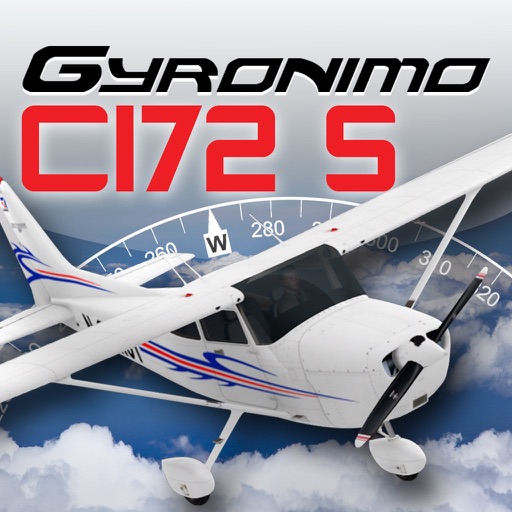
The app calculates and interpolates performance data for the Cessna 172 S using its Pilot's Operating Handbook. It displays results in high-resolution graphics and allows users to experiment with different scenarios to find optimal flight parameters.
Practice mental skills with brain training that track progress and display score history and graphs. View daily scores and performance across all . Set goals and monitor improvements over time.
The app allows users to create realistic training simulations using personal photos and animated effects like smoke and fire. It is designed for emergency responders and safety instructors to build custom training scenarios based on local hazards.
Learn pre-flight procedures for a Hawaii to Los Angeles flight using a full-featured emulator. Practice holds and alternates rarely used in standard training. Simulate cockpit operations and review detailed flight sequences step by step.
Learn about the A320 aircraft with clear explanations of complex systems. Access visual aids to enhance understanding. Study for type ratings, command upgrades, or recurrent training. Review detailed diagrams and operational procedures.
View football training sessions with broadcast-quality videos from Southampton F.C. Access equipment lists, practice setups, and session animations. Sync Season Plan to Apple calendar. Watch upcoming sessions and track team progress.
Study using a single device. Record and playback interpretations for review. Save and organize practice sessions in the Interpreter Training Cloud. Assess performance with numerical scores from patent-pending testing technology.