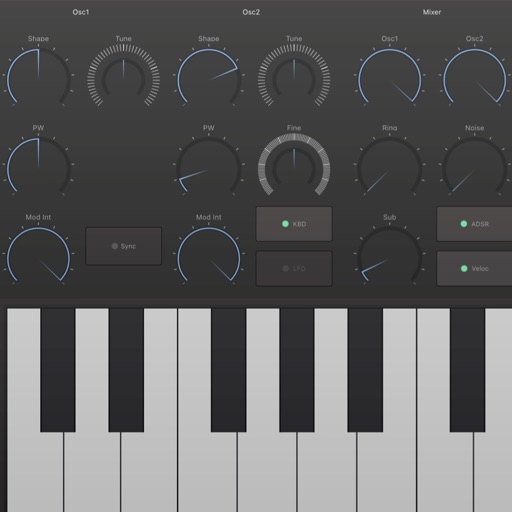
Simulates a vintage with a single oscillator and monophonic synthesis. Users can adjust oscillator wave shapes, apply onboard delay and reverb effects, and set frequency ranges. It offers 1 to 7 octave range control for customizable pitch.
by John McMillan★ 4.015 ratingsMusic$2.99Data updated 2026-09-11
Create spatial audio effects with a two-stage multi-tap stereo delay and reverb. Adjust parameters for precise control over delay time, feedback, and reverb decay. Compatible with for integration with digital audio workstations.
Simulate playing a with realistic sound and reverb. Adjust tone volume and pitch. performances. Access multiple configurations. Strike surfaces to create tuned notes.
Turn your iPhone or iPod Touch into a musical instrument. Select chords and strum strings with fingers to create arpeggiated sounds. Edit and share songs, use MIDI support, and transpose notes with in- purchase.
Use a microphone to create live or recorded loops with trigger modes via keyboard. Process sound with bit and sample crusher, delay, and flanger. Play using a 25-key dynamic keyboard or core MIDI.
The app provides a drumming experience with 33 stereo drum kits and recording capabilities. Users can play along to loops, adjust pitch, and utilize features like double bass drumming and lefty mode.
Create and play melodies, scales, and arpeggios with one-touch-per-note controls. Adjust pitch of individual notes in real time. Connect to software effects or record directly in DAW apps.
Create and sequence music using 4 sound channels with 3 tone channels and 1 for drums and noise. Adjust audio parameters like pan, amplitude envelope, vibrato, and pitch glide. Add ring modulation, FM synthesis, and a resonant filter.
The app provides a sophisticated equalizer with up to 36 Peak Filters for precise frequency response design. Users can sculpt sound through its embedded sampler or live input, with additional effects like ClassicVerb available.
Create and manipulate musical sequences with a 16-step sequencer. Adjust slices and patterns in real time. Build and modify playlists. Process MIDI data and integrate with AUv3 extensions. Perform dynamic variations during playback.
Create beats using step sequencers and pads. Sample sounds from Roland TR and MPC machines. Mix tracks with a built-in mixer. Record and play back custom patterns. Adjust tempo and rhythm settings. Export and share finished projects.
Create reverb effects with precise control over room models and decay time. Adjust decay rates across frequency ranges. Blend reverb with source audio for natural mixing. Export settings and integrate with DAWs.
Play virtual organs with authentic sound samples. Select preset tones and effects. Adjust volume and pitch. Save and share recordings. Explore classic rock tracks and soundscapes.
Sing karaoke with high-quality backing tracks and scrolling lyrics. Add vocal effects like reverb and echo. Record and share voice covers. Edit audio with trimming and pitch adjustment tools. Sync with social media platforms for sharing.