Simulates a vintage with a single oscillator and monophonic synthesis. Users can adjust oscillator wave shapes, apply onboard delay and reverb effects, and set frequency ranges. It offers 1 to 7 octave range control for customizable pitch.
by John McMillan★ 4.015 ratingsMusic$2.99Data updated 2026-09-11
Record and process audio with parameters for tape distortion, playhead loss, wow/flutter, and tape degradation. Emulate various tape machines and types. Adjust tape saturation and frequency response.
Record and playback audio samples with a multi-octave on-screen keyboard or MIDI device. Save, load, and reverse samples. Loop samples in forward, reverse, or forward-reverse modes. Apply reverb, resonant filter, and sample rate/bit crusher effects.
Create drum sounds and synthesize vocals using a 24-part sound engine. Use a pattern sequencer to arrange beats. Apply effects including a Phrase Vocoder that converts text to vocal-like sounds. Adjust vocal characteristics such as gender.
Record and visualize pitch with a scrolling graph display. Adjust temperament settings to Equal, Just, or Pythagorean. Store recorded sessions for review. Compare played notes against reference tones.
Play notes with finger pressure sensitivity. Adjust pitch with microtonal tuning and transpose settings. Apply reverb and chorus effects. Practice scales and chords. Save and share performances. Sync with music theory tools for guidance.
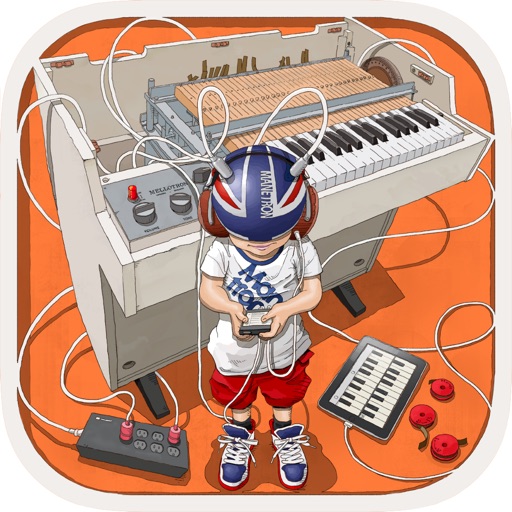
The app provides vintage tape sampling keyboard sounds from a 70s model. Users can experience real motor and mechanical sounds with tape running animation.
The app uses waveshaping synthesis to create unique sounds by altering spectra with sound amplitude. It offers a randomizer for generating new sound patches and includes multiple oscillators, envelopes, and effects.
Play virtual with 1300 looped samples and 4 velocity layers. Include key-on and key-off sounds for realism. Use Audiounit support, iOS Universal compatibility, and Audiobus integration for audio routing.
Tune instruments with adjustable A4 frequency settings and precise 10-cent tuning increments. Display pitch accuracy with a green arrow and white indicator.
Record and mix audio tracks with multi-channel editing, effects, and automation. Import and export audio files in various formats. Use virtual instruments and MIDI support. Control tempo and key. Apply reverb, delay, and compression.
The app offers an elegant and customizable interface designed for musicians. It provides precise tempo control and a variety of rhythm options, all accessible from a single screen.
The app features six different doumbeks with professionally recorded high fidelity sounds. Users can adjust reverb, pitch, and delay, and record, playback, and loop multi-track performances.