Design tags with customizable markers and nib shapes. Choose from various stroke sensitivities and color options. Save creations with one click. Create personalized street art and tags.
, paint, and doodle on a digital whiteboard. Share artwork with friends. Use stickers, brushes, and shapes to enhance creations. Add text and export drawings in multiple formats.
Allows users to draw on their iPhone or iPad using 10 different pens, including ball pen, pencil, and brush. Users can create various line shapes and images. Drawings can be saved and shared directly from the device.
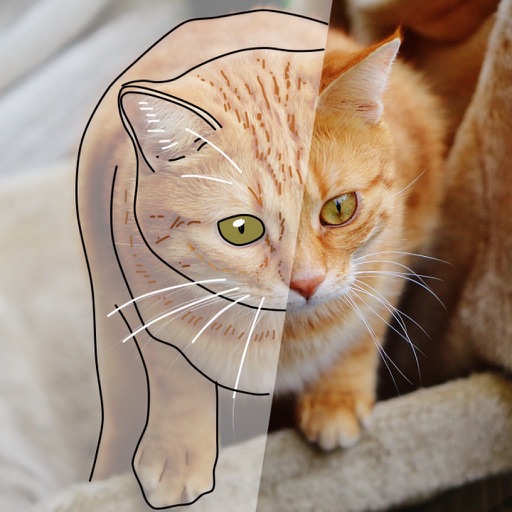
This sketch app allows users to import a photo as a sample to sketch a portrait. The app includes 23 brushes, a color picker, and pinch-to-zoom functionality.
Create art, share animations, connect with artists
Create and share art animations with an integrated online gallery and . Browse and interact with over 700,000 designs. Categorize and tag artwork with hashtags. Moderate and recommend animations using AI.
The app provides a clean interface for young children to draw. It offers a simple color palette, three brush sizes, an eraser, and undo/redo functionality.
Create art with customizable colors, brush sizes, and opacity. Import photos from camera or library. Save and share designs via social media, email, or SMS. Clear canvas for new creations.
Create digital art using tools like paper, brushes, pencils, pens, and markers. Adjust brush pressure and opacity. Layer artwork and apply textures. Export in various formats and share directly.
Create and edit drawings with brush, blur, eraser, fill, pen, pixels, procedural, select, smudge, text, and vector tools. Work with hundreds of layers. Participate in daily drawing challenges, competitions, and collaborative co-ops.
Create digital art with 105 tools including pens, pencils, and brushes. Import and edit photos. Add text and rotate elements. Customize brush settings. Use customizable canvases. Save and share artwork.
Create handwritten notes and drawings with customizable brushes and erasers. Use vector tools for precise shapes and annotations. Add text, highlights, and special line effects. Save and organize digital sketches and journal entries.
Edit images by on photos and adding text. Choose from 45 colors and five pen thicknesses. Use zoom editing and undo functionality. Share edited images via email, Twitter, and Facebook.
Learn to sketch figures and garments with step-by-step guidance. Create and manage layers for detailed illustrations. Use AI tools to generate clothing and accessories in specific styles. Add body types including models, women, men, and plus size.
Over image templates with automatic pen tracking for accurate . Select from preloaded categories like animals, flowers, and vehicles. Choose from over 150 colors to customize drawings. Export final artwork in various formats.
The app provides a virtual coloring and painting book with 20 princess-themed pages. Children can color existing images or draw their own creations using various tools.
Create mandala paintings using vector-based tools. Zoom smoothly for precise details. Choose from various colors and brush styles. Save and share drawings directly. Adjust layer settings for customization.