Count items quickly by adding or subtracting numbers. Reset count with a confirmation prompt for safety. Switch between day and night mode for different color schemes. Sync with Apple Watch for hands-free tracking.
by Pat Walsh★ 5.02 ratingsProductivityFreeData updated 2026-09-11
Customize LED colors and animations on using profiles and rules. Set specific animations for rolls like "Nat 20" or "Fireball." Adjust brightness and color schemes. Sync with the to trigger effects during TTRPG sessions.
The app counts or tallies things by incrementing or decrementing a counter. It can count forward or backward automatically and supports various counting systems including Latin, binary, and hex.
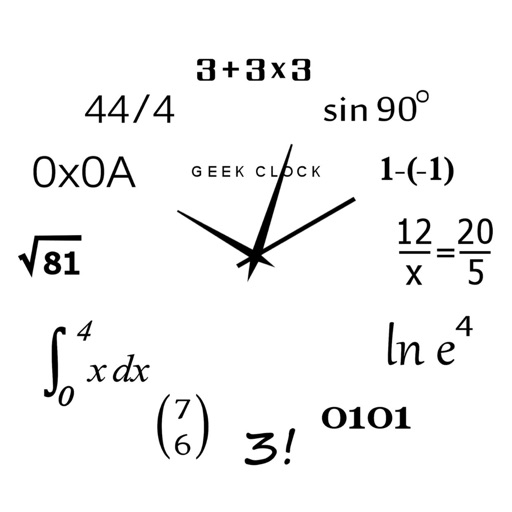
Display time using math problems instead of numerals. Switch between horizontal and vertical layouts. Toggle day and night themes. View animated quotes related to culture. Solve equations to reveal time.
Translate text and speech between languages with real-time voice conversations. Save and access translation history offline. Switch languages without changing system settings. Use night mode for reduced screen brightness.
Use your iPhone to control on a Mac. Change slides in Keynote or PowerPoint. Draw remotely with color and tool options. Clear the screen by swiping left. Access flashlight by swiping right. Repeat last drawing action. Enable typing.
Create and manage count lists for . Scan barcodes with the camera to log items. Export data as CSV, XML, or PDF. Send files via email. Import and export CSV files for lists. Print data using AirPrint. Count items offline and sync data when connected.
Track focused work intervals and breaks using a . Set and relax timers alternately. Store workflow history in Apple Calendar. View progress and past sessions through calendar integration.
Note-taking allows users to create and sync notes across devices. Attach images and location data to notes. Supports markdown, dark mode, and dynamic type. Includes character count and star/heart ratings for notes.
Track -pong scores with a simple interface. Add or deduct points by tapping the score or "-" icon. Switch sides with the court change button. Reset the game to start over. Enter and modify player names directly.
Provides a minimalist interface with basic text editing tools to help users focus on . It includes prompts for practice, style guidance, and habit tracking to support consistent routines.