Apps Like C/C++ Programming Compiler for iPhone and iPad
Write and test C++ code anywhere
Write and test C/C++ code directly on iOS devices. Compile and run code snippets using supported compilers. View execution results and debug code in real-time. Learn concepts through hands-on practice.
by Ketan Appa★ 3.3117 ratingsEducationFreeData updated 2026-09-11
Write and format Markdown notes with code snippets, colored syntax highlighting, and embedded links or images. Export notes as plain text, Markdown, HTML, or PDF. Organize notes into folders and mark favorites. Compile code online in a playground.
Enables typing and testing directly on iPhone or iPad. Supports syntax highlighting and auto-suggestions for multiple programming languages. Includes quick pop-up for operators and customizable themes for light and dark modes.
Learn , CSS, and JavaScript with code templates, autocompletion, and syntax highlighting. Run examples locally, execute code directly, and use Git for version control. Store projects in iCloud and share via LAN using HTTP/FTP.
Through beginner to advanced courses in Python, JavaScript, HTML, and other languages. AI tutors provide on-demand support, breaking down complex topics. Interactive exercises offer instant feedback.
Create and test mathematical algorithms with a powerful computational engine. Build interactive plots and animations. Execute code and view results in real-time. Share calculations and export data in multiple formats.
With structured lessons, exercises, and real-world projects. Build and test code within the . Track progress and access project-based learning materials.
Code of websites with syntax highlighting and search. Edit and save code directly. Run HTML, CSS, and JavaScript in a browser. Integrate with Safari for quick access. Share code via email or cloud services.
Develop and run PHP, JavaScript, HTML, and CSS projects locally on iOS devices without internet. Edit code in or external folders. Access web apps in split screen. Sync with Git clients and cloud storage.
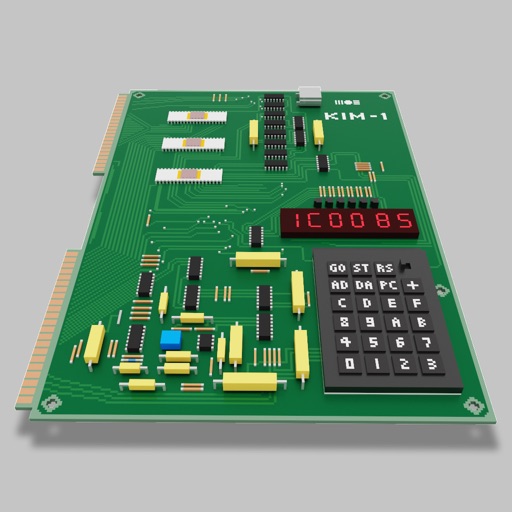
Users can assemble and debug assembly code using a simple interface with 7-segment LEDs and buttons. Run programs on an emulated 8-bit processor. Solve programming puzzles and explore hardware components used in early home computers.
Learn programming through interactive lessons and exercises. Use an embedded editor and a custom virtual keyboard for coding. Track progress and receive personalized feedback. Share snippets and collaborate in real-time.
Learn and program language on iOS devices. Enter and run code, use built-in functions, and access help documentation. Save and load programs. Simulate Commodore 64 environment for educational use.
Help users generate writing ideas, refine content, and improve their writing through AI-powered suggestions. Provide feedback on grammar, structure, and style. Support multiple writing formats including essays, stories, and emails.
With step-by-step tutorials, circuit diagrams, and source code. Build projects like a remote control and SMS sender. Access the IDE and Wiring language. View project examples and hardware connections.
Generate from natural language descriptions in multiple languages. Convert between languages for compatibility. Scan and analyze to identify errors and suggest improvements. Provide real-time coding assistance and syntax highlighting.
Flashcards cover sorting, searching, and other exam topics. Includes code snippets for concept explanation. Supports iPhone and iPad. Allows scroll, pinch zoom, and tap gestures. Not a Java tutorial.