Adjust audio with 11 filter types for precise equalization. Apply stereo adjustments and manage frequency settings. Save and recall preset configurations. Export modified audio files directly.
by Joshua Goossen★ 3.212 ratingsMusicFreeData updated 2026-09-11
Play music files from iTunes library and device storage. Adjust quality using the AQS-XI sound engine. Customize sound with equalizer, virtual surround, and cross fader.
Adjust audio frequencies with precise equalization controls. Apply filters, adjust gain, and manage frequency bands. Save presets and load them quickly. Integrate with digital audio workstations for real-time processing.
Create stereo delays with adjustable parameters for various sound effects. Simulate tape characteristics including noise and warble. Apply filters in the delay loop for dub-style tones. Use stereo delay, detune, and ping-pong options.
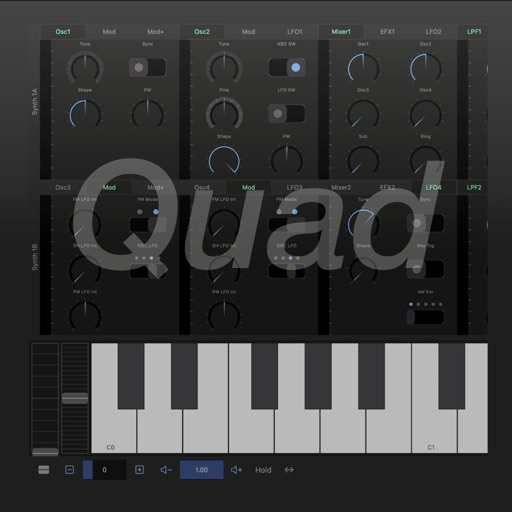
A virtual-analog synthesizer with circuit-modeling engine. Users can create and edit patches, adjust oscillator settings, and apply filters. Modulation effects include LFOs and envelopes. Export audio files and control parameters via MIDI.
The app is a multitrack audio editor for iPhone and iPad. Users can record or import tracks, edit them with cut, copy, paste, and delete functions, and apply filters and effects.
Customize audio settings with step-by-step guidance. Adjust equalizer presets and sound profiles. Sync with compatible devices for seamless playback. Manage connected devices and control audio output directly.
Create and manipulate granular audio with real-time sound file granulation. Generate effects like time/pitch shifting and intricate textures. Record, scrub, and shape envelopes. Manipulate buffers and explore complex scrub pads.
Pair earbuds via Bluetooth and link to an account. Select eartips for optimal sound. Switch between active noise cancellation and transparency modes. Customize touch controls and reset settings.
A seven-band equalizer with adjustable filters including low shelf, high shelf, parametric peak/cut, notch, and Butterworth low-pass/high-pass. Each band can be configured as any filter type or disabled. Used within an Audio Unit host or DAW.
Customize AONIC devices with button settings and prompts. Adjust parametric EQ in the or save settings to devices. high-res audio files and access podcasts.
Record with a single tap to start or stop. Manage recordings directly on the interface. Save high-quality files. Record music or over. No time limits on recordings. Share files directly from the .
Stream from SoundCloud Go+ and local files via cloud services. Import tracks in multiple formats. Organize library by title, artist, album, bpm, key, rating, or duration. Create custom playlists.
Record and edit with multi-track mixing and mastering capabilities. Add effects, adjust levels, and export in various formats. Supports sound recording, processing, and voice editing.