Adjust audio with 11 filter types for precise equalization. Apply stereo adjustments and manage frequency settings. Save and recall preset configurations. Export modified audio files directly.
by Joshua Goossen★ 3.212 ratingsMusicFreeData updated 2026-09-11
Boost audio volume for devices using a powerful volume . Adjust sound levels to maximum output. music and video playback through device speakers. Control audio settings for enhanced listening experiences.
Record driving footage with motion detection and continuous recording. Track location and speed using GPS. Save and share videos directly. View playback and manage stored files. Receive alerts for impact detection and low storage.
The app offers multi-purpose stereo shaping for Audiobus and Inter-app Audio. It allows users to create wide stereo images, "stereoize" mono sources, and apply mid/side processing with independent filters per channel.
A synthesizer with 16 voice polyphonic capabilities. Users can create sounds using two oscillators per voice, adjust ADSR envelopes, apply filters, and control amplification. Includes effects, a sequencer, and audio visualization.
Adjust audio levels with a for louder playback. Enhance with adjustable settings for deeper sound. Use a 7-band equalizer to customize frequency settings for precise audio control.
Arthur Eduardo Skaetta Alvarez Desenvolvimento de Software LTDA.
Boost audio and video with taps
Enhance audio and video quality with boosting and equalization. Adjust levels for deeper . Choose from preset modes like Pop and Jazz. Apply effects to music and video files directly.
Manage songs with lyrics and sheet music. Playbacks, MIDI files, and videos are supported. Control MIDI devices or be controlled by MIDI. Access songs on-demand during performances. Unlock full version via in- purchase to remove song limit.
Adjust audio with up to 24 bands of EQ. Use dynamic EQ and linear phase processing. Access spectral EQ and character modes. Edit in real-time with EQ Sketch. Control multiple 4 instances from one interface.
Create custom playlists from device songs. Apply real-time effects including speed change, pitch shift, 10-band EQ, reverb, and center cancel. Adjust settings via toolbar buttons for , tune, EQ, and reverb.
The app plays lossless Hi-Res FLAC, ALAC, and WAV files, supporting CUE sheets. Users can upload music via Wi-Fi, cloud services, or iTunes File Sharing.
Control audio equipment remotely with level, EQ, and effect adjustments. Access professional audio processing for studio-quality sound. Manage live shows, studio recordings, and stage setups from macOS.
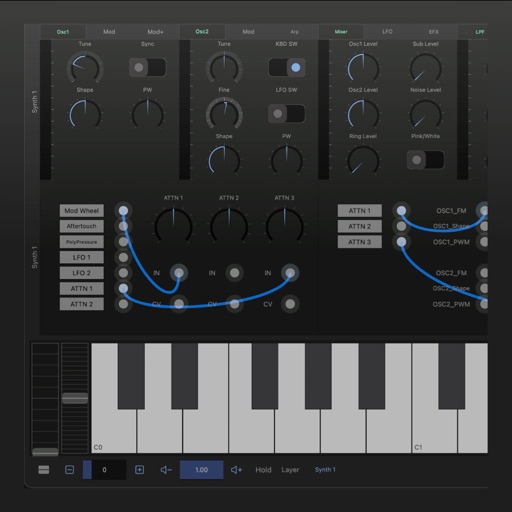
Allows users to create and manipulate analog-style sounds. It features monophonic and paraphonic modes with four oscillator sections. Each oscillator includes wave shape morphing and harmonic content control.
Create and manipulate sounds using wavetable and subtractive oscillators. Apply flexible filtering and post-processing effects. Use advanced modulation sources for complex sound design. Access an intuitive interface for easy navigation and control.