Apps Like Smart Player Controller for iPhone and iPad
Stream music wirelessly
Play music through a wireless speaker with multi-room audio via Wi-Fi. Control with gestures or voice commands. Set music alarms with favorite songs. Access albums via a round touch screen.
by MOCREO PTE. LTD.★ 0.00 ratingsMusicFreeData updated 2026-09-11
Control PlayStation®3 games with touch gestures on iOS devices. Replace wireless controller input via WiFi connection. Navigate menus, move characters, and interact with in-game objects using on-screen buttons and motion controls.
Listen to stations with high-quality audio. Browse and queue favorite stations. View song titles and artist names. Set a sleep timer. Control playback directly.
Play games using MP3 files. Tap notes in sync with music. Import custom songs. Track progress and replay levels. Supports multiple songs and monthly updates. No DRM support.
Listen to live-concert-quality performances from world-class artists. Stream curated stations featuring Golden Hits, Modern Favorites, Classical Masterpieces, and various genres. Play pieces directly or use the as a music with endless playback.
Stream music from 80s to present. Access live radio, social media, weather, and traffic updates. View jock videos, enter contests, and discover concerts and events.
Manage audio systems with IP loudspeakers. Connect and control speakers over LAN. Configure settings and build high-quality installations. Monitor system status and adjust audio settings. Sync with AV experts for advanced configurations.
Stream , soul, and news content 24/7. Create and switch between curated radio stations. Access real-time global news updates. View daily horoscopes. Adjust playback settings and control volume. Navigate through a minimalist interface.
Listen to music with real-time interaction, post comments and media, preview songs, and rate tracks. Engage with DJs and other users. Share audio clips and view played songs.
Audio devices to stream music. Create original songs based on personal themes. Adjust sound settings for optimal playback. Save and share compositions directly. Sync with music libraries for instant access.
Stream Catholic music and radio shows featuring Gregorian chants and modern Catholic songs. Access Scripture, pray with devotionals and Mass, explore Church history, and watch Catholic apologetics videos. Listen to live and on-demand content.
Experience music collection visually, interactively.
The app presents albums visually in a random order, bringing users closer to their music. It offers five unique browse displays and gesture playback controls for an enhanced listening experience.
Stream dance music from European clubs like M80 and Ibiza. Includes genres such as 80's, 90's, Latin EuroDance, and New WAVE. Access classic and modern tracks from renowned venues.
The app plays music backwards from a user's library or microphone. Users can seek through tracks, control playback speed, and record audio to hear it in reverse.
Organize and manage libraries by filtering and sorting artists, albums, and tracks. Browse and play with customizable views. Set playback preferences and access metadata for detailed song information.
Edit patches, browse presets, control synth remotely
Control music synthesis with multi-touch patch selection and remote browsing. Edit Patches and Multis wirelessly. Use the Orb for sound modification. Create setups and adjust parameters via iPad. Sync with Mac or Windows Omnisphere software.
Sync devices to create real-time playlists on a host’s speaker-connected device. Users can vote on songs to reorder the queue. Multiple phones connect wirelessly for collaborative playback.
Stream Christian music with on-demand playback and playlist creation. Access inspirational content and educational segments. Customize station settings and receive real-time updates on current songs and shows.
Listen to FM, AM, and internet stations from local and global sources. Switch between stations with a single tap. Stream music, news, talk shows, and sports without sign-up. Continue playback while using other apps.
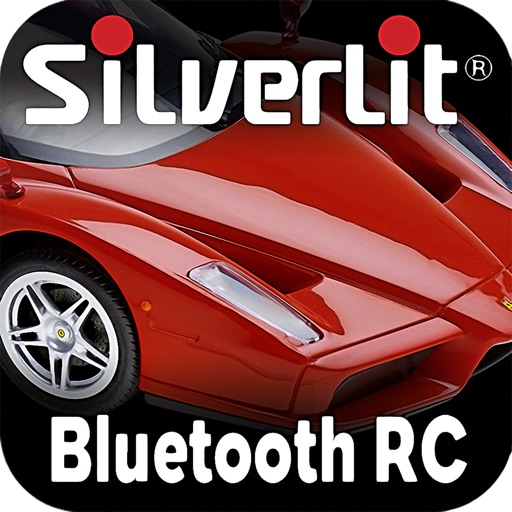
The app uses an iPod Touch, iPhone, or iPad as a remote control for the Silverlit RC Enzo Ferrari. Users can control the car's lights and drive it using gesture controls like tilting and twisting.