Apps Like Simple BackgroundEraser for iPhone and iPad
Remove background from photos
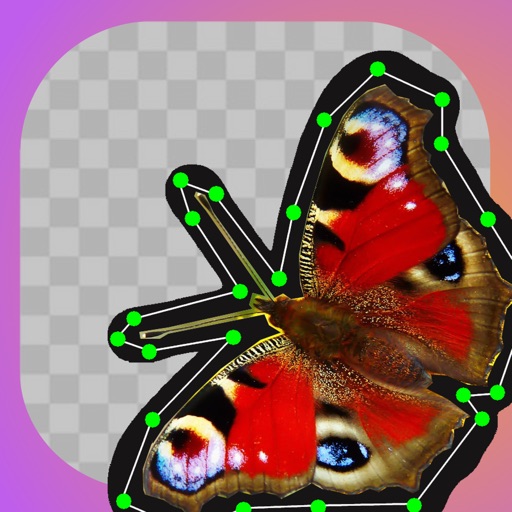
Remove similar color backgrounds from images and save transparent versions to the camera roll. Erase using finger or wand tools. Zoom and rotate with two fingers. Crop photos and share to other apps.
by DoItWell Application Ltd★ 4.327 ratingsPhoto & VideoFreeData updated 2026-09-11
Remove backgrounds and unwanted objects from photos and videos using AI. Tap to remove backgrounds, swipe to erase objects. Edit media quickly with precision. Export edited content directly.
Objects, people, or text from photos and videos. Edit backgrounds realistically without a reference image. Erase pimples, scratches, and telephone wires. Delete power lines and surface imions. Export edited content directly.
Remove backgrounds from photos by tapping areas to erase. Automatically or manually adjust transparency. Save edited images in HD quality. Export and share edited photos directly.
Edit photos and videos with hairline matting for precise background removal. Erase unwanted people from images. Apply artistic filters and templates. Create greeting cards, memes, and ID photos. Export edited content in various formats.
Unwanted and background distractions from photos using AI-powered editing. Edit images by selecting and erasing specific elements. Adjust lighting and colors for enhanced clarity. Save and share edited photos directly.
Edit photos with AI-powered background removal and replacement. Choose transparent, white, or custom scene backgrounds. Generate realistic shadows and adjust lighting. Export in high-quality formats and share directly.
Remove backgrounds from images using AI-powered tools. Select areas to erase and automatically cut out subjects. Export as transparent PNG files. Adjust edges and refine results manually. Share edited images directly.
Crop and rotate images into various shapes. Add text, arrows, and shapes for annotations. Pixelate sections or draw freehand. Share edited photos directly with contacts.
Remove unwanted objects, text, or backgrounds from images or videos. Use finger gestures to select areas for deletion. Automatically blend removed sections with surrounding content for seamless results. Edit both static images and clips.
View photos from iCloud Photo Library and see EXIF data, location, and lens direction. Filter by favorites, location, or date. Edit metadata by removing geotags and personal data. Copy raw metadata to clipboard.