Apps Like Waterfall Photo Frames Pro for iPhone and iPad
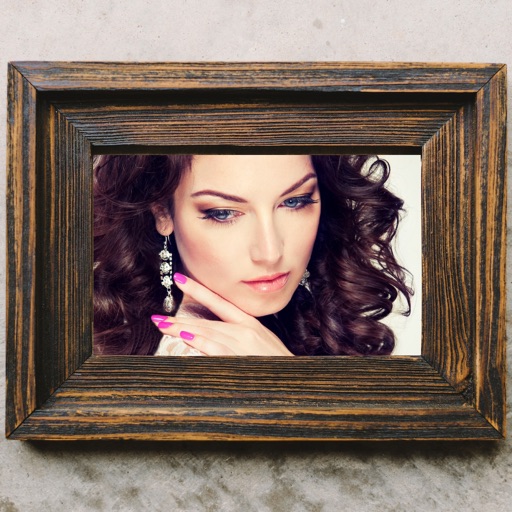
Frame photos with effects
Apply to images. Choose from Niagara Fall, sea surf sunset, and nature scenes. Share edited photos with friends and family. Add special effects to capture memorable moments.
by Yeon Tai Ang★ 4.425 ratingsPhoto & VideoFreeData updated 2026-09-11
Edit photos by highlighting colors, removing or changing backgrounds, and blurring specific areas. Use healing and smoothing tools for precise adjustments. Create photo montages and export edited images directly.
Create by selecting from various and adding photos from the gallery or camera. Adjust photos with zoom, rotate, and move gestures. Save and share customized greeting through social networks.
Select and apply unique to images. Choose photos from gallery or camera. Rotate and scale as needed. Save, share, or set photos in gallery. Display all saved photos in a list.
Select photos from gallery or photo library. Choose from numerous PIP frames. Use single image for both foreground and background or different images for each. Edit foreground and background separately. Apply photo filters.
Select a or take a new one with the camera. Choose from over 30 colorful to decorate images. Apply different frame styles and designs. Save edited photos to the gallery and share them on social media.
Capture motion blur and light trails using speed settings. Adjust exposure time, ISO, and focus manually. Import photos and apply creative effects. Share images directly from the .
Create a baby journal with timeline views for countdown and baby grooming tracking. Edit photos with filters, stickers, and text. Share updates and view photos from other parents.
The app provides custom photo frames for Chinese New Year celebrations. Users can capture or select photos, apply various traditional and modern frames, and adjust images.
Edit photos with PIP frames, collages, and creative layouts. Add crystal bottle patterns and cartoon styles. Share edited photos directly to social media. Adjust brightness, contrast, and colors. Crop and rotate images.
Create greeting cards by selecting from the gallery or taking new ones. Choose from various and adjust with zoom, rotate, and move features. Send customized cards to friends and family.
Manage and organize photos with local and iCloud integration. Edit images using filters, cropping, and brightness adjustments. Share directly or save to a private library. Import videos and create collages. Add text and stickers to photos.
Capture high-quality video frames as images from any video. Save favorite moments by selecting specific scenes. Export frames in original resolution. Create thumbnails for social media. Print photo albums from 4K videos.