Apps Like Before and after collage for iPhone and iPad
Create collages to compare photos
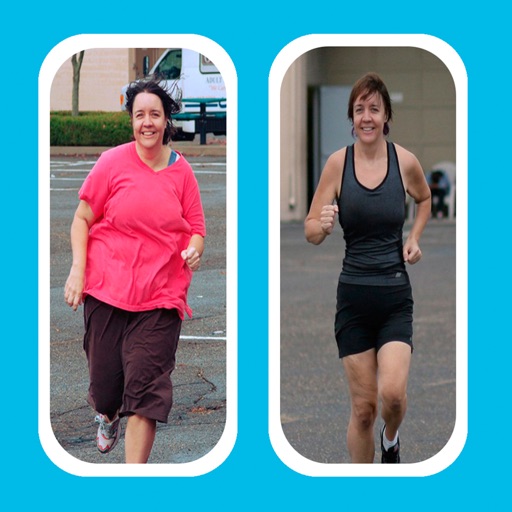
Create -and- photo collages by selecting from two types. Compare images of your body, face, home, or pets over time. Add fun and stylish frames to enhance the visual contrast between photos. Share the final directly.
by Mireia Lluch Ortola★ 4.560 ratingsPhoto & VideoFreeData updated 2026-09-11
Create graphics, edit photos, and design videos with customizable templates. Add text, shapes, and effects. Generate videos from text using AI. Export and share across platforms.
Edit photos with AI-powered tools like face swap, background removal, and object removal. Enhance image quality with the quality enhancer. Convert images to video. Use the AI agent for generating photos and editing concepts.
Photos by flipping horizontally or vertically. Create reflections and repeating patterns. Apply effects and frames. Design collages with multiple layouts. Export and share edited images.
Edit photos with templates and free-layout tools for prints. Create collages, calendars, and photo IDs. Customize designs with text and decorations. Print directly from the .
Create layered collages by combining images with one click. Add special effects to draw or erase . Apply filters and frames to enhance visuals. Share finished blends directly to Instagram.
Create collages by adding photo grids, frames, and filters. Apply effects like sepia and retro. Add stickers and text. Share collages via messengers and social networks. Edit photos with built-in frames and layouts.
Edit photos with AI-powered lighting correction, exposure adjustment, and shadow detail enhancement. Retouch faces and bodies, experiment with makeup and hairstyles, and create collages or videos. Share edited content directly.
Edit photos with filters, cropping, and adjustment tools. Add text, stickers, frames, and patterns. Create collages by combining multiple photos. Share edited images directly to social media.
The app allows users to create HD videos and photo collages with music, AI effects, and voice-overs. It supports up to 12 frame collages, 30-minute videos, and 4K resolution sharing.
Edit photos with filters, backgrounds, and effects. Adjust skin tone, eyes, and hair. Apply one-tap enhancements for natural results. Share edited images directly to social media. Add text and stickers to photos. Export in multiple formats.
Senfoni Yazilim Hizmetleri Sanayi Ve Ticaret Limited Sirketi
Edit photos, add text, create collages
Edit photos with filters, cropping, and adjustment tools. Add text and graphics from a large selection. Create collages and designs with editing options. Export in multiple formats and share directly.
The app provides layouts, backgrounds, and frames for designing photo collages. Users can select templates, upload photos, and adjust them with effects, resizing, or rotation.
Remove unwanted people and blemishes from photos or videos by painting and erasing. Edit images with AI tools, add text, filters, and effects. Adjust facial features like face shape, forehead, chin, and cheeks.
The app allows users to create photo images and collages from existing or new photographs. It offers various layouts, backgrounds, filters, decorations, text, and stickers for image customization.
Edit photos with filters, cropping, and brightness adjustments. Add text, stickers, and frames. Create collages and enhance images for social sharing. Trim and cut videos. Export in multiple formats and share directly.
Create collages using over 50 templates. Customize layouts, add text, and include photos or videos. images with filters, cropping, and manual adjustments. Shoot photos with manual camera controls. Export and share edited content in various formats.
The app offers tools to enhance photos, remove blemishes, and apply various effects. Users can combine photos into collages, add stickers and frames, and adjust image properties like brightness and contrast.
Edit photos with AI-enhanced tools for clarity and resolution. Remove unwanted elements and separate figures or objects. Apply AI skin corrections and custom filters. Adjust HSL and curves for precise color and tone control.
Edit photos using contrast, saturation, and brightness tools. Apply free and custom filters. Share edited images to social media or save in high resolution. Collaborate with other photographers in a community workspace.