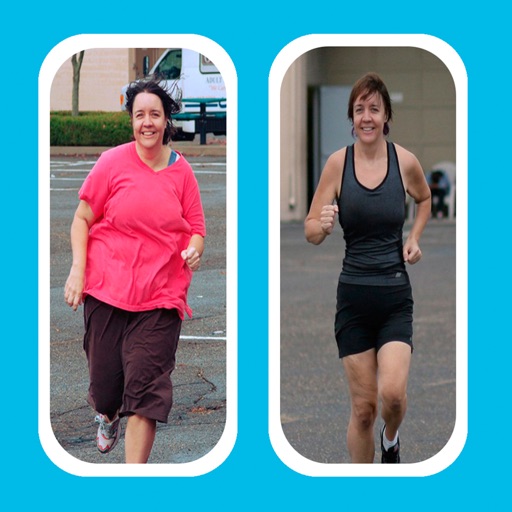
Apps Like Before and after collage for iPhone and iPad
Create collages to compare photos
Create -and- photo collages by selecting from two types. Compare images of your body, face, home, or pets over time. Add fun and stylish frames to enhance the visual contrast between photos. Share the final directly.
by Mireia Lluch Ortola★ 4.560 ratingsPhoto & VideoFreeData updated 2026-09-11
Capture photos with real-time grid lines and flash settings. Use one-touch beautification for selfies. Access weekly updated filters and collages. Add stickers and create collages. Share edited photos directly.
Create collages by selecting from 1000+ layouts, grids, and templates. Add photos, adjust sizes, and apply filters. Share collages directly to social media or via email. Edit text, add stickers, and crop images within the .
Create collages using 1000+ layouts and effects. Edit photos with filters, split images, and adjust brightness. Add text, stickers, and templates. Share edited collages directly.
Create photo collages and composite images by combining up to 11 photos in a single layer. Remove unwanted areas with the background eraser tool. Adjust color tones to enhance image appearance. Export edited photos in various formats.
Create collages, cards, and albums using photos. Select from hundreds of templates and customizable grids. Add backgrounds, frames, and text. Edit images with cropping, filters, and adjustments. Share finished projects directly.
Create collages with multiple layouts and effects. Combine photos from gallery or camera. Merge videos into single clips. Add transitions and effects. Edit images with cropping and filters. Share finished collages directly.
The app allows users to create collages for iPhone or iPod Touch wallpaper using a multitouch interface. It offers creative options such as a black-and-white or sepia converter, border addition, and transparency adjustment.
Create collages using hundreds of templates, layouts, and design options. Add effects, text, and stickers to photos. Share finished projects directly to social media accounts. Edit images with cropping, filters, and adjustments.
Create collages by freely moving, scaling, and rotating photos. Arrange images without grids, templates, or filters. Add text and stickers manually. Export and share finished collages directly.
Create collages by combining up to 20 photos with backgrounds, stickers, and drawing tools. Apply filters, borders, and fonts to enhance images. Share collages on Facebook, Instagram, and other platforms.
Create collages by combining photos into -shaped frames. Apply filters and adjust colors. Share collages directly or save in various formats. Organize memories in a single album.
Create collages by arranging multiple photos in predefined shapes. Choose from 100+ categories including hearts, animals, and flowers. Automatically place photos within selected shapes. Export finished collages.
Edit photos and videos with grid layouts, templates, and customizable collages. Add exclusive stickers, backgrounds, and doodles. Create Christmas cards and share finished projects directly.
Create collages by combining photos, adding stickers, and applying effects. Choose from multiple layouts and templates. Edit images with cropping and filters. Share finished collages directly to social media.
Edit photos with PIP frames, collages, and creative layouts. Add crystal bottle patterns and cartoon styles. Share edited photos directly to social media. Adjust brightness, contrast, and colors. Crop and rotate images.
Create collages using photos and videos with hundreds of templates. Arrange media in customizable layouts. Add text, frames, and effects. Share finished collages directly to social media.
Create collages with customizable grids and multiple layout options. Add photos by selecting from camera or gallery. Adjust images using zoom and touch gestures. Change background colors or themes. Save or share collages through social media apps.
Create collages by merging up to 20 photos with frames, stickers, and text. Adjust borders, add pattern backgrounds, and use shapes for flyers and posters. Share creations on Facebook, Instagram, and other social media.
Edit photos with filters, cropping, and adjustments. Add text, stickers, and frames. Create collages by combining multiple images. Share directly to social media. Apply effects and choose from various fonts and stickers.
Create holiday collages with customizable layouts, -themed grids, and backgrounds featuring Santa, gifts, and snowmen. Add text messages, select photos, and design e-cards with festive frames and decorations. Export and share finished collages.