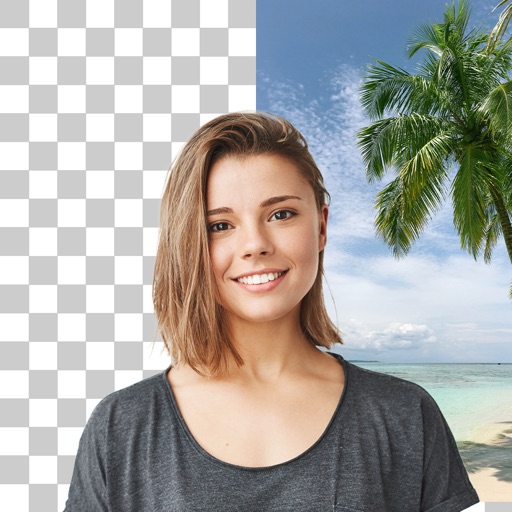
Remove unwanted backgrounds and create precise photo cutouts using the Pen Selection Tool. Edit images with advanced selection features. Export edited photos in high quality. Sync with desktop software for professional workflows.
by Tinkerworks Apps★ 4.5616 ratingsPhoto & Video$2.99Data updated 2026-10-19
Record and switch between up to 9 external A/V inputs supporting NDI, NDI HX, SRT, or RTSP protocols. Use up to 4 UVC cameras on iPadOS 17. Access all built-in cameras on iPhone/iPad simultaneously.
The app allows users to add handwritten-style text to photos. Users can select fonts, colors, and adjust text properties to create custom images for various purposes.
Remove from photos and videos automatically. Edit the color or upload a new image. Export edited media in original format. Share directly to social platforms.
Create video slideshows by selecting photos from the gallery or camera, adding tracks, and applying animations. Choose from various effects and layouts to customize the video. Export and share the final video directly.
The app provides 1-tap photo perfection for every shot. Users can select from 9 moods to capture the feeling of a moment and share photos on selected services.
Edit photos with cropping, filters, and adjustments. Remove unwanted objects or people using the Magic tool. Replace backgrounds to create montages. Create collages with pre-designed templates. Export edited photos in multiple formats.
Convert photos into animated GIFs with AI-powered styling. Choose from various effects and customize animations. Export and share the final GIF directly.
Track clothing items and preferences. Share daily outfits as cutouts. Vote on fits to explore trends. Follow friends and influencers. View weekly competition results.
Remove unwanted backgrounds or objects from photos. Edit images to make backgrounds transparent. Add custom backgrounds for improved visuals. Erase specific areas for enhanced photo quality. Save and share edited images directly.
AI allows users to enhance photos using AI technology. Adjust skin tone, remove blemishes, and generate new poses and backgrounds. Edit portraits and headshots with dynamic AI features. Export edited images in high quality.
Edit photos by applying faces and filters. Choose from free templates to try on. Upload photos from albums or Facebook. Share edited images on Twitter or Facebook. Select preferred for personal use.
The app uses an automatic colorization technique based on scribbles to change object colors in photos. Users can mark parts of an image with any color and the app will apply the changes.