Create music by using nine animals as instruments. Set up drum loops, swipe to change instruments, compose melodies, adjust loop speeds, and add effects. Animations respond to user actions and enhance the musical experience.
Device volume beyond system limits for clearer audio. Adjust volume levels manually. Enhance sound quality for music, videos, podcasts, and more. Supports headphones, speakers, and earphones.
Adjust audio with customizable amplification presets. Enhance music playback within preferred apps for improved quality. Assess hearing accuracy using headphone-based tests via iPhone speakers.
Switch between Bluetooth and AirPlay audio devices instantly. View current output device and scan for nearby compatible speakers, , or audio gear. Manage connections with a simple, intuitive interface.
Use iOS device as a live microphone for stereo systems or Bluetooth connections. Create karaoke tracks with synced lyrics in any language. Convert speech to text with AI. Record performances automatically with a single button.
Record audio, MIDI, and drum tracks with unlimited layers. Apply real-time effects like Guitar Amps, VocalTune, and Reverb. Mix and edit tracks on the go. Share projects and collaborate with other artists via Songtree.
Stream from SoundCloud Go+ and local files via cloud services. Import tracks in multiple formats. Organize library by title, artist, album, bpm, key, rating, or duration. Create custom playlists.
Download from various sources including cloud storage and devices. audio and video files offline without internet. Transfer via Wi-Fi. Import from Apple and other file systems. Sync and organize library across devices.
Control speakers by connecting via Bluetooth or Wi-Fi. Stream music from phone library or popular platforms. Adjust volume, manage playlists, and identify unknown tracks. Cast audio to multiple devices simultaneously.
Manage Bluetooth devices with intuitive setup guidance. Monitor battery level and connection status. Adjust equalizer settings and customize volume controls for personalized listening experience.
Record audio with one-touch start and stop. Choose between mono and stereo . Adjust microphone sensitivity and set limits. Save files in multiple formats and export directly.
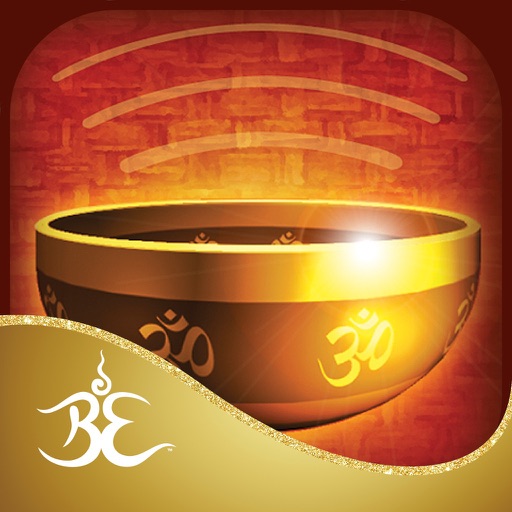
The app allows users to create harmonic tones by swirling fingers around bowls or tapping various instruments. Users can record and play back their creations for relaxation and meditation.
Create deep, customizable sounds with adjustable waveform and filter settings. Use as a standalone or plugin. Run multiple instances for layered sound design. Adjust sub- frequency and resonance for precise tone control.
Control smart TV with iPhone or iPad by switching channels, adjusting volume, and muting. Access power on/off and menu functions. Requires same Wi-Fi network and TV confirmation.
Test phone speakers with tones ranging from 0 Hz to 25 kHz. Use manual or automatic mode to assess performance. Perform stereo tests to evaluate sound quality. Clean speakers by generating frequencies to remove dust and buildup.