Create long images by automatically stitching horizontal or vertical scrolls. Combine up to 99 photos in waterfall format. Design minimalist postcards with customizable styles. Apply mosaic effects to blur parts of images.
by 芊 彭★ 4.924 ratingsPhoto & VideoFreeData updated 2026-09-11
The app generates pencil sketches from photos using the iPhone camera. Users can select images from their gallery or capture new ones to apply various effects like wall paint, comics, and watercolor.
The app offers over 10 video and photo effects, customizable speech bubbles, and over 140 stickers. It includes 30 predefined layouts and supports high-resolution AirPrint printing, while also extracting pictures from videos.
Edit images and videos using AI to remove objects, people, or blemishes. Remove mosaic effects and enhance photo clarity. Extract audio from videos, add text watermarks, and apply custom mosaics.
Edit photos with filters, effects, and scene modes. Add text, stickers, and overlays. Adjust brightness, contrast, and saturation. Save and share edited images directly.
The app transforms user photos into pencil sketches. Users can select images from their gallery or capture new ones with the camera to create sketch art.
Create and customize NFTs from photos. Upload images to generate galleries. Choose design elements and styles. Set metadata and pricing. Export NFTs for sale or display. Connect to blockchain platforms to mint and share NFTs.
Create custom profile pictures for Clubhouse using symbols, frames, colored borders, and all emojis. Combine elements to design unique images. Leave reviews and provide feedback. Subscription available for $1.49 per month.
Create collages by arranging and combining photos. Add text, stickers, and borders. Adjust colors and brightness. Save and share collages directly. Import images from gallery or camera. Apply filters and effects.
Create mobile mockups by selecting templates and customizing phone border styles, background blur, and image placement. Upload photos from the gallery to fill designated areas.
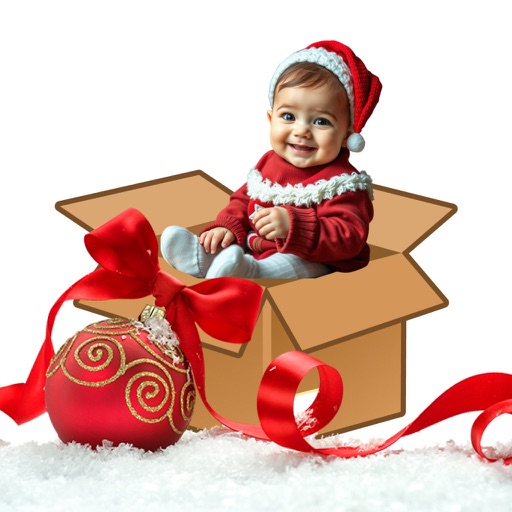
Upload photos and automatically remove backgrounds for clean images. Design customizable cardboard boxes with themes. Add festive decorations and text. Share finished creations via social media or email.
Edit photos with vintage filters, effects, and customizable frames. Add text and stickers. Crop and adjust images. Save and share edited photos directly.
The app provides a powerful editor with a simple design for photo enhancement. Users can add custom textures, stickers, and text to their images, with tools for focus, color splash, and brightness adjustments.
Add date and time overlays to photos with customizable size, position, format, font, and color. Edit overlays to suit personal style. Save and share edited images directly.
Turn photos into digital art with neural network-based transformations. Choose from anime, 3D, fantasy, and realistic styles. Apply filters for age swap or effects. Save and share the edited images.
The app adds depth of field to images, creating realistic blurs with Bokeh effects. Users can adjust blur amount, paint focus areas, and share creations on social media or save them.
Edit photos with customizable and PIPs. Add stickers and create collages. Choose from global landmarks as backgrounds. Save and share edited images directly.
Create custom seals with various templates like round, square, and oval shapes. Adjust font size, style, and effects such as blur and scratches. Apply seals to images with automatic sizing and positioning.