Create long images by automatically stitching horizontal or vertical scrolls. Combine up to 99 photos in waterfall format. Design minimalist postcards with customizable styles. Apply mosaic effects to blur parts of images.
by 芊 彭★ 4.924 ratingsPhoto & VideoFreeData updated 2026-09-11
Edit photos with AI-generated artistic styles, including cartoon, mermaid, and business mogul effects. Apply filters, adjust colors, and add text. Export and share edited images in various formats.
Convert photos to sketches and styles with AI-powered tools. Adjust line thickness, contrast, and color tones. Save and share edited images directly. Apply filters and export in various formats.
Generate hyper-realistic photos from text prompts. Choose from various art styles. Create digital artworks, designs, logos, and AI-generated avatars. Edit and export generated images.
Take a photo and convert it into an embroidery design with adjustable filters and size options. Save the design to your mySewnet™ account and sync it with a compatible sewing machine for stitching.
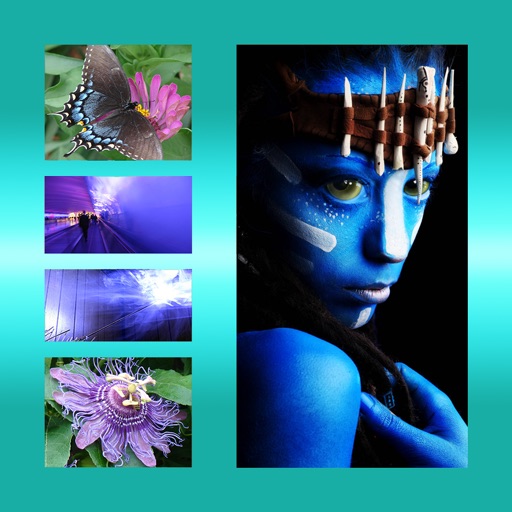
Create albums and collages with customizable text, fonts, and colors. Add stickers, , and backgrounds. Design greeting cards with personal messages. Edit images with predefined styles and categories. Share edited photos directly.
The app allows users to design and create personalized cards using a selection of images or personal photos. Users can add text with various font and color options, apply effects, and share creations through multiple platforms.
The app offers a variety of effects for photos and videos with real-time preview. Users can adjust brightness, contrast, and contour for different looks.
Apply filters to photos and videos to enhance colors and tones. Edit videos with trimming, cutting, and adding effects. Share edited content directly to social media platforms.
The app allows users to create new compositions from photos, drawings, and text. Users can add frames, text, and drawings to photos, modify them with filters, and combine elements to create new images.
The app allows users to apply monochrome filters and effects to specific parts of an image by rubbing with a finger. Users can also reduce or enlarge images using a pinch gesture.
The app protects photos with a password and organizes them into personalized albums. Users can import photos from albums and the camera, zoom, and share pictures.
Create blur effects by tracing fingers over photos, with automatic border correction for natural results. Zoom in or out using pinch gestures for precise adjustments. Check results by tracing over the screen.
Edit photos with blur background settings, shattering effects, and color frames. Add overlays and crop, rotate, or flip images. Import from gallery or camera, and share edited photos to social media.
Organize and delete photos and screenshots by month. Filter and select which images to keep or remove. Share selected photos directly. Clean up without ads or interruptions.
The app allows users to create personalized postcards using photos, captions, and frames. It automatically uses the user's location and analyzes photos to customize the layout, offering filters, font choices, and color settings for an authentic look.
The app allows users to combine multiple photos into one framed picture. Users can adjust contrast, brightness, and saturation, add text, and apply effects.
Lets users apply artistic effects like anime, cartoon, and voxel styles. Edit photos with AI-powered tools to enhance portraits or create avatars. Choose from claymation and comic styles. Export edited images directly.
Greeting photos with pre-designed text options. Add effects to text for better visibility. Edit and enhance selected photos. Share finished greeting images with family and friends.