Apps Like Cut & paste for edit stickers for iPhone and iPad
Photos, create montages, swap faces
Create photo montages, collages, and custom . images by erasing, changing, or adding backgrounds. Cut people from photos and them onto new images. Decorate with personal photos and fun .
Edit photos with , , and collage tools. Create and custom layouts. Adjust brightness, contrast, and saturation. Add text and stickers. Export and share edited images.
Create collages using over 50 templates. Customize layouts, add text, and include photos or videos. images with filters, cropping, and manual adjustments. Shoot photos with manual camera controls. Export and share edited content in various formats.
Remove unwanted objects, people, or backgrounds from photos using AI. Tap to erase clutter or clothing elements. Edit and save modified images directly.
Create collages by combining multiple photos into a single framed image with captions. Add 2D and 3D effects. Share finished collages on social media platforms like Facebook, Twitter, and Flickr.
Create collages with 64 layouts and custom difference templates. Add photo frames, stickers, captions, and text with font options. Edit backgrounds and export finished collages.
Create custom stickers by selecting images from your camera or photo library. Cut out stickers by highlighting areas, pinch-to-zoom for precision, undo changes, preview stickers, and delete unwanted ones.
Create realistic instant photo effects with customizable backgrounds, fonts, and filters. Add text, stickers, and light leak effects. Design greeting cards, posters, and social media content. Enhance photos with adjustable filters and effects.
Edit photos by blurring backgrounds, faces, or specific subjects. Apply various effects and filters. Save edited images to the camera roll or share them directly.
Create collages by combining photos and videos. Generate AI-powered videos from text or images. Edit clips with trimming, filters, and transitions. Export videos for Instagram, TikTok, YouTube, Facebook, and Pinterest.
Remove backgrounds or objects using AI by adding a and tapping "remove." Adjust the new background to a custom color, white, another image, a gradient, or a preset. Add text, shapes, and photos to the edited image.
Edit photos by inserting parts from other images using seamless integration. Adjust colors automatically for a natural look. Create funny photos by adding yourself next to celebrities or placing yourself anywhere in the world.
Create with customizable templates and frames. Add stickers, emojis, and crop images in various ratios. Include handwritten text and photos to personalize messages for loved ones. Share directly through supported platforms.
Enhance photos with AI-powered unblurring and restoration. Adjust clarity, brightness, and contrast. Crop and resize images. Save and share edited photos directly. Restore old or damaged images to high definition.
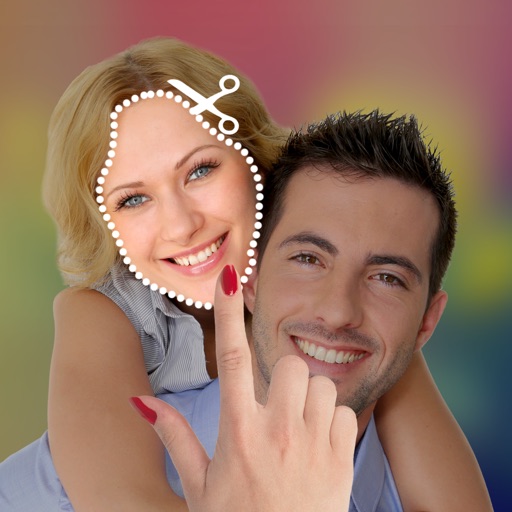
The app allows users to cut and paste parts of photos, including faces, onto different backgrounds. It offers various effects such as lomo, old style, and sketch, enabling the creation of new or humorous images.
Edit photos with filters, effects, and AI tools to remove or blur backgrounds. Add stickers, text, and frames. Apply glitch, neon, and drip effects. Adjust colors and crop images. Export and share edited photos directly.
Remove objects, people, or distractions from photos using AI technology. Edit images to clean up backgrounds or eliminate unwanted elements. Save and share edited photos directly.
The app offers over 4,000,000 designs for personalized photo montages. Users can select a design, add their photos and text, and create cards, gifts, and memories for various occasions.
Create montages by selecting images from the camera or gallery. Adjust photos by moving, scaling, or rotating. Share finished montages friends or social media platforms.