Create talking videos using a photo or AI-generated avatar. Upload a 10-second for quick avatar customization. Choose from various effects and styles to animate images. Generate videos for personal, business, or social media use.
Create and store digital outfits in a virtual . Receive notifications for new brand arrivals. Use augmented reality to try on outfits and visualize how they look in real time. Explore a vast library of digital fashion options.
Videos to reduce file size and save storage space. Adjust resolution and bitrate settings. Export compressed videos in various formats. Share directly to social media or messaging apps.
Create relaxing ASMR sounds by popping small keys. Customize and typing experience. Integrate with Instagram, Snapchat, TikTok, Roblox, WhatsApp, and iMessage. Access PRO features with subscription.
HC MAKER - PHOTO LOGO BACKGROUND EDITOR APPS FOR FREE
Apply filters and share photos
Edit photos by importing or taking a picture, then applying curated filters designed by professional photographers. Save edited images and share them directly. Access a library of free images for inspiration.
Use special to style social media posts, comments, and bios. Add kaomojis from over 40 categories. Create text arts and emoji designs with 100+ . Customize Facebook status updates and Twitter messages. Apply to names and profile texts.
Edit videos by trimming, splitting, and rearranging clips. Add transitions, background colors, and text. Include music and filters. Crop, zoom, and rotate individual frames. Share finished videos directly.
The app transforms static photos into 15-second animated videos. Users can create cinematic motion with drag-and-drop controls and add decorative frames.
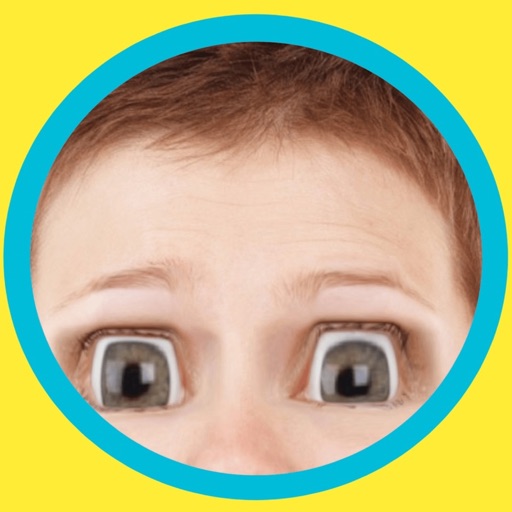
Change eye appearance in photos and videos using face detection. Apply funny eye effects like big, sleepy, or cartoon styles. Choose from makeup options including liners and shadows. Select animal or Halloween-themed eye transformations.
Play and pause GIFs with frame control while paused. Swipe to switch animations. Adjust playback speed in 7 levels. Zoom in and out. Change background color by shaking. Import GIFs from Photo Albums or download via embedded browser.
Record videos with manual controls for exposure, shutter speed, ISO, white balance, focus, zoom, frame rate, quality, resolution, and aspect ratio. Save and share videos via iTunes, Airdrop, or other transfer methods.
Stabilize videos by selecting from the photo library and adjusting settings in real time. Apply algorithms to reduce shaking. Export stabilized videos directly to the device.
Deletes unfavourited and videos based on time range selection. Displays all unfavourited media for review. Tap to confirm deletion. Removes clutter from camera roll without swiping or second-guessing.