
Apps Like Drawing Pad - apps for Drawing for iPhone and iPad
Draw with pencil, brush, and marker
Draw with pencil, brush, eraser, marker, and pen. Customize brushes with texture and fill colors using a bucket tool. Add text and shapes to drawings. Change backgrounds with color, texture, or images. Use grid for guidance and mirror for faster .
Drawing Pad - apps for Drawing screenshots
Ranked alternatives
Showing 301–320 of 1,000 ranked alternatives.

Amadine: Vector Design and Art
Belight Software, ltd
Create art and illustrations
Create illustrations, logos, and UI designs with precise drawing tools. Import and edit graphics. Organize projects in workspaces. Export in multiple formats. Collaborate in real-time with others. Adjust colors, shapes, and layers.
Draw
洪 陈
Draw, color, and edit pictures.
The app provides tools for drawing, coloring, and editing pictures. Users can create simple pictures, add text, or modify existing images with various shapes and editing functions.

City Art - Illustrate with map
Marcus Carlsson
Color streets and create art anywhere
Create art using maps as a canvas. Choose from over 80 detailed maps to draw based on personal memories. Color streets to generate unique images. Save and share finished artwork.


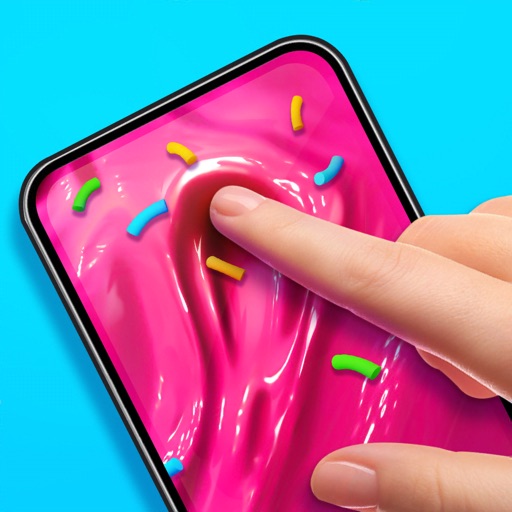
Slime Maker Simulator Games
Dimitri Liwenetz
Knead, stretch, and squish
Simulate by stretching, kneading, and squishing. Create custom with selected materials and settings. Draw on surfaces. Choose from various textures and effects. Access a wide range of designs.


Soulmate Drawing – Astrala
Uladzislau Zakharevich
Draw, reflect, and explore insights
Create personalized drawings to explore relationship dynamics, emotional states, and life timing. Interpret symbols and themes to gain insight into personal growth and connection. Save and revisit drawings for ongoing reflection and understanding.
Bokehful - Bokeh light effects
Active Development Limited
Draw bokeh light effects on photos.
The app adds bokeh light effects to photos. Users can draw bokeh with circle, heart, star, or hexagon shapes and choose from multiple color gradients.

Pixels Free - Drawing and Painting with Brushes
SUNG CHEOL KIM
Create images with many brush types.
The app offers a fullscreen workspace with support for device orientation and multiple canvas sizes. It includes 145 brush markers, layers, zoom functionality, and brush configuration saving.
Drawing Tutor
ToXSL Technologies Private Li mited
Learn To Draw Anything Easily
The app provides step-by-step instructions for drawing various subjects like animals, cars, and cartoon characters. Users can follow simple steps to create complete pictures or draw directly on the screen.
How we rank alternatives
Apps are ranked by functional similarity, category fit, rating confidence, and popularity.