Learn techniques through interactive tutorials. Create custom patterns by selecting colors and stitches. Save and share designs. Track progress and adjust patterns for different fabric sizes.
Play 8 Ball, 9 Ball, and UK 8 games with realistic physics and accurate angles. Customize table colors and cloth patterns. Access Practice Mode for relaxed gameplay without rules. Track scores and replay matches. Share high scores and screenshots.
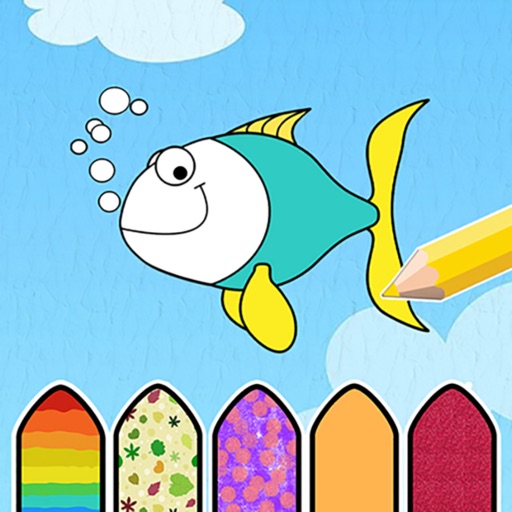
Can and color with tools like pencils, brushes, and crayons. They can create paintings of animals, fruits, and vehicles. Includes pages for princesses and toddlers. Features a drawing book and creative doodling options.
Use phone camera to project anime-style templates onto paper or surfaces. Trace outlines to create art. Adjust lines and colors. Export drawings in various formats. Sync with digital tools for further editing.
Create intricate patterns by connecting dots in a meditative puzzle game. Customize colors and brush strokes. Relax with calming sounds and visual effects. Save and share artwork. Track progress and set daily goals.
Create digital art with drawing, coloring, and animation tools. Use versatile templates for Anime, Animals, Flowers, Landscapes, Mandalas, and more. Access dual drawing modes for layered artwork.
Create realistic artwork with pencil, brush, pen, and marker tools. Import images as layers and edit with eraser, ruler, compass, and other tools. Add stickers and use layer management for detailed painting and design.
Characters, objects, and animals through step-by-step tutorials. Choose from various art styles including doodles and detailed illustrations. Compete in multiplayer battles. Save and share creations. Adjust brush settings and color palettes.
Solve by collecting pieces of stunning images. Each puzzle fragment contributes to a fairy tale story. Customize puzzle difficulty and view completed scenes as sticker book pages. Explore beautiful animations and artwork throughout the game.
The app offers professional editing tools, beauty enhancements, and special effects. Users can apply stickers, create classic collages, and design fashionable posters with InstaMag.
Color by number games allow users to color over 1000 artworks for free. Choose from 3D art and string art styles. Create images of objects and animals using color selection tools. Save and share completed artwork.
Create artworks from photos or videos using styles like , sketch, oil painting, and watercolor. Choose textures such as canvas or paper. Adjust tones and apply filters. Share creations directly from the .
Create art by following numbered grids. Choose from pre-designed images or generate custom designs using AI. Adjust colors and save projects. Share artwork directly or export in various formats.
Create symmetric kaleidoscope patterns, mosaics, and fractals. Customize colors, shapes, and brushes. Use free-form zooming and add stickers. Adjust settings for unique designs. Save and share artwork.
Play with realistic 3D graphics and accurate physics. Choose from standard and practice game modes. Customize table colors and cloth patterns. Compete against a CPU or play casually. Track progress and refine skills through repeated play.
Create digital art by adding with customizable fonts to images. Choose from stamps, photo effects, and backgrounds. Design memes, greeting cards, and birthday images. Share finished creations directly.