The app allows users to perform classical piano music by tapping the rhythm of sound events. It provides live visualization of the music being performed and supports CoreMIDI for external sound sources.
Play and various instrument sounds. Record songs while playing. Adjust keyboard size in 6 levels. Use 8 different and instrument tones. Scroll smoothly during performance.
Load SoundFont and DLS libraries for access to a wide range of instruments. Support General MIDI setup. Use Hi-Res Engine for clean, low-noise audio. Integrate as a plug-in instrument in DAWs. Perform audio processing with floating-point precision.
Learn music notation, fingerings, and rhythms through interactive exercises. Practice note identification and timing under a countdown. Track progress with belt tests and receive feedback on accuracy and speed.
Learn musical notes, fingerings, and rhythms through interactive gameplay. Compete against up to three players on a single instrument. Earn ninja belts by improving speed and accuracy. Purchase additional instruments.
Create and edit music using a nonlinear time engine with time-bending playheads. Automate parameters and control multiple playheads in a single grid interface. Sequence notes and manipulate tempo for complex compositions across iPad, iPhone, and Mac.
Create and arrange music with chord progression tools, lead sheet display, and notation editing. Generate backing tracks, export songs, and transfer files. Play and record melodies, add lyrics, and print sheet music.
Create and edit music with a variety of tools. Trigger pads in live mode. Adjust effects in dedicated mode. Arrange samples in sequences, takes, and groups. Record via microphone. Generate samples using AI. Add fade-in and fade-out regions.
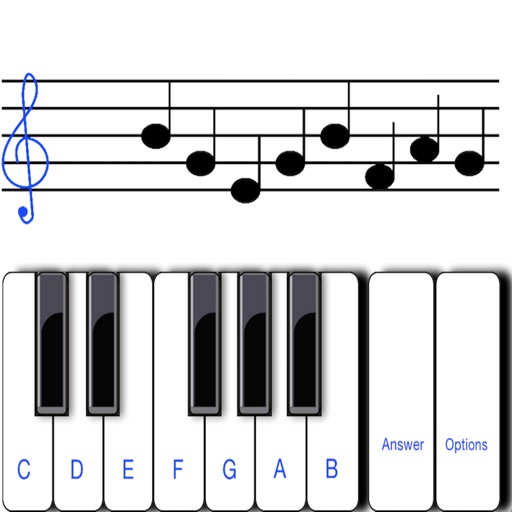
To notes in G and F clefs. Practice notes above and below the staff across six octaves. Randomly generated notes apply to any instrument. Switch clefs for varied practice. Receive feedback on missed notes. Set pace and limit octaves for beginners.
Access sheet music for players of all skill levels. Browse and download pieces tailored to your taste and ability. Practice with interactive features that enhance learning and performance. Track progress and receive feedback on played pieces.
Create and edit musical scores using Apple Pencil, finger, or stylus. Organize compositions in folders. Use templates or import custom paper. Share or print scores as PDF. Copy and paste sections for editing.
Play chords and melodies using a tactile keyboard interface. Hold buttons and swipe or tap to create sounds. Access chords and notes via a grid for precise selection. Adjust pitch, harmonize, and apply real-time audio effects.
Practice with progressive drills for all seven clefs. Learn sight- through interactive exercises tailored to your instrument. Track progress with detailed feedback and adjust difficulty levels as skills improve.
The app opens, displays, prints, and plays TablEdit files. It imports various music file types and allows users to create new tablature arrangements from scratch.
The app offers western and oriental organ rhythm styles with majour and minor accords. It includes quarter tune ability for each clavier, transpose ability, and volume mix settings for accords, rhythms, and instruments.
Record and edit up to 16 tracks of looped audio. Adjust track settings, use sound-on-sound and overwrite modes. Supports Inter Audio and AudioBus for virtual instrument integration. Customize loops and perform live recordings.