Monitor and control your security cameras remotely
Monitor and control security cameras with HD video and audio. Receive intelligent alerts and customize camera settings. View live feeds and review recorded footage. Set motion detection zones and manage user access remotely.
by 萍飞 何★ 3.419 ratingsLifestyleFreeData updated 2026-09-11
Monitor home with real-time HD video streaming and night vision. Set up cameras indoors or outdoors. View live footage and download video clips. Receive motion alerts and control angles remotely. Sync with Wi-Fi for wireless connectivity.
Monitor network activity to identify unauthorized access. Block suspicious connections and manage permissions. Encrypt data and control location sharing settings. Set up alerts for unusual activity.
Vehicle functions like locking, unlocking, and starting the engine remotely. Monitor fuel levels, battery status, and maintenance alerts. Receive notifications about vehicle performance and security. Manage access permissions for shared vehicles.
Control devices through the or voice commands via Amazon Echo and Google Assistant. Add and manage multiple devices, share access with others, and set schedules. Receive real-time alerts for security and convenience.
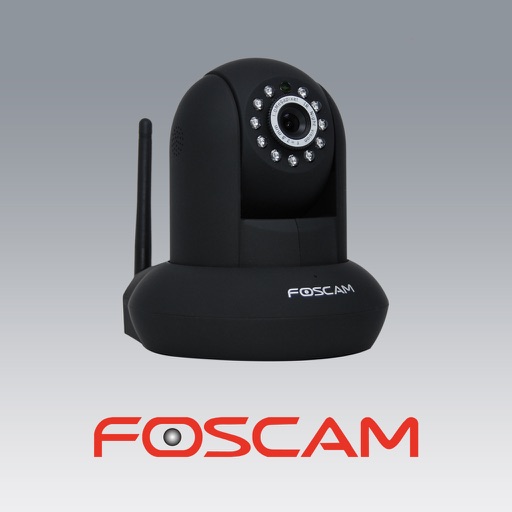
The app allows users to view and control Foscam IP cameras from an iPhone or iPad. Users can watch their home, kids, and pets remotely with a 3G or WiFi connection.
Control devices with cameras, outlets, lights, and sensors. Turn devices on/off remotely. Receive alerts for motion or door activity. View live camera feeds and historical footage. Adjust settings for automation and scheduling.
Control RV systems remotely using Bluetooth and cloud connectivity. Adjust climate settings, monitor battery levels, and manage entertainment systems. View real-time data and receive alerts for system status changes.
Control security systems remotely with real-time alerts and full remote access. Manage devices like UNO, SOLO, DSC, or Honeywell. View system status, arm/disarm alarms, and receive instant notifications.
Monitor network speed with real-time download, upload, ping, jitter, and loss metrics. Check security status and receive alerts for password updates. View connected devices and their activity details.
The app transforms a smartphone or tablet into a cloud-based security camera. Users can monitor locations live or play back recorded footage from any device.
The app connects to Defender 22800+ series NVRs, enabling remote viewing of live camera feeds and recorded footage. Users can connect to multiple NVRs to monitor up to 32 cameras and save image snapshots.
Stream live audio and video from your iOS device's microphone and camera to another device using the iCam . Share camera and microphone input in real-time. Optionally upload encrypted Apple Watch alerts with motion detection to servers.
Monitor home security with live video feeds from multiple cameras. Receive instant motion alerts and customize notification settings. Control smart devices remotely and view real-time activity logs.
Control courtyard robots via mobile device. Connect and manage pool cleaning equipment. Monitor device status and settings. Adjust cleaning schedules and zones. Receive alerts and diagnostics. Remote control operation and maintenance.
Detect surveillance devices using AR markers to visualize their locations. Scan environments to identify potential cameras. Alert users to suspicious activity and provide guidance on removing or blocking devices.
Monitor and control security systems with real-time notifications and live video feeds. Adjust settings, arm or disarm systems, and receive alerts. Integrate with compatible alarm devices and manage multiple locations from a single platform.
Record video with GPS, speed, altitude, and date/time metadata. Replay drives on maps using companion apps. Auto-start, loop recording, crash detection, and driver focus mode. No ads, subscriptions, or signups required.