Record and save video clips during gameplay without stopping. Capture specific moments and reactions in real time. , tag, share, comment, and message other users. Export videos in various formats.
Capture 4K videos at 30, 50, or 60 FPS or take high-quality 5K photos with a single press. Adjust exposure by dragging, flip the camera with a double tap, and record by holding.
Hides photos, videos, and documents within a disguised . Users can encrypt files with bank-level security and access them via a password. Data is stored in a secure folder with private access controls.
Take photos and videos remotely using AirSnap, a feature that lets you control the from your phone. Adjust settings like focus and exposure. Edit images with cropping, filters, and adjustments. Share directly from the .
Track bird activity with real-time notifications and species identification. Capture and share photos of birds with built-in editing tools. Set up feeding schedules and monitor usage statistics.
Edit photos by adding Christmas with 30 options and 20 Halloween mini . Choose between solid or flashing effects. Use 9 holiday or 3 spooky backgrounds. Save edited images to the 's album, camera roll, or share directly.
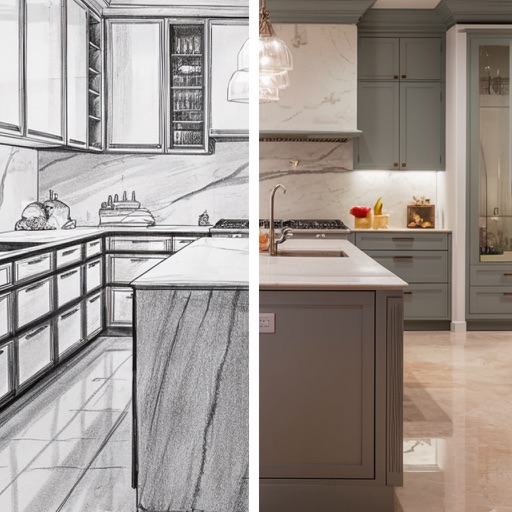
Transform spaces by snapping photos and using AI to redesign kitchens and rooms. Adjust layouts, colors, and materials with intuitive tools. Preview changes in real-time and save or share concepts.
Enables manual adjustment of settings such as focal length, exposure, ISO, shutter speed, and white balance. Users can capture photos and videos with precise control.
Create videos using real-time effects and audio synchronization. Adjust parameters to control visual elements. Apply glitch, lofi, and music styles. Export and share finished projects. Perform live effects with intuitive controls.
Record baby moments, organize photos, share videos
Organize baby photos and videos automatically, creating a timeline of growth. Share content in real time with family, ensuring privacy. Record and store videos efficiently, reducing storage concerns.
Connect to dashcam via Wi-Fi to view driving record videos and download accident footage. Adjust dashcam settings and share important moments. Sync videos with smartphone for playback and management.
Capture photos and videos using Bracketing, Slow Shutter, and Time-lapse modes. Adjust exposure, focus, and white balance manually. Export raw files and share directly. Sync with Apple Health for activity tracking.
Edit videos by trimming, resizing, and adjusting resolution. Apply smart presets for Instagram, TikTok, and Twitter. Choose compression levels and preview results. Export optimized videos for various platforms.
Convert real-person videos into animated cartoons using AI models. Apply various art styles to faces and backgrounds. Import 1080p or 4k videos with people facing the camera. Export animated videos in different formats.
Record lip-sync and music video selfies with animated stickers, decorative stickers, custom frames, and animated screen overlays. Save videos to the camera roll. Take still selfies and decorate them.
Access remote home panoramic cameras via ID. View videos and photos in portrait or landscape mode. Switch between camera views and control pan-tilt. Preview audio, speak through the camera, capture stills, and record video.
Create videos with ghostly effects using motion tracking and overlays. Position ghosts manually or via motion detection. Record in real-time with VHS-style filters and distortions. Share finished videos directly.
Backup and transfer photos and videos with one touch. Supports Live Photos and burst mode. Import and back up iCloud-stored media. Save money by using an OTG drive with Lightning port compatibility.
Record and view video and photo footage from -X2 body worn camera. Edit metadata, browse media, and manage captured content. Share files directly from the .