Apps Like Crafting Guide for Minecraft for iPhone and iPad
Craft items, explore blocks, track mobs
Provides recipes for tools, armor, weapons, food, mechanical items, dyes, potions, and more. Mobs details all creatures. Features universal support and regular updates.
by Indira Mehta★ 3.6304 ratingsUtilitiesFreeData updated 2026-09-11
Resources like diamonds, emeralds, gold, and coal in . Input world seed and coordinates to locate items. Supports multiple updates including 1.21 Tricky Trials and 1.18 Caves and Cliffs. Provide detailed resource locations across all platforms.
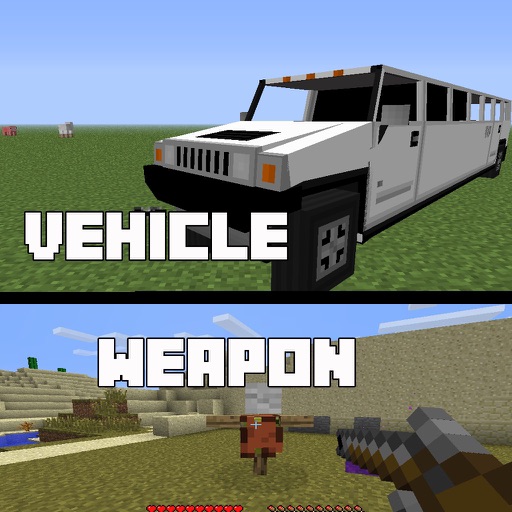
Install and manage for . Select and download for weapons, cars, furniture, and more. Open mod files within the to import them into . Activate chosen in world settings for multiplayer use with friends who have the same installed.
Helps players tame creatures with detailed calculations and recipes. Provides stats, timers, and weapon knock-out info. Includes admin commands and compatibility with multiple ARK versions.
Teach children to code with interactive lessons and step-by-step tutorials. Create and share projects using block-based programming. Track progress and receive feedback. Sync with classroom accounts for teacher oversight.
Browse challenges, items, and weapons with up-to-date information. View player stats such as total wins and K/D ratio. Access weekly challenge lists and latest news. Save and organize favorite content for quick reference.
Browse and install furniture for PE. Add skins and to customize characters and environments. Receive updates for new and improved content. Sync with PE to access added items and features.
Explore maps for survival challenges and creative adventures. Play custom worlds with unique environments and objectives. Download , skins, and textures to customize gameplay. Add weapons, vehicles, and new items to expand in-game possibilities.
Provides mod guides for PC edition. Users can search for , add favorites, and access and . It includes additional features for managing and discovering without altering the game directly.
W Builds provides step-by-step instructions for Minecraft structures. Users can follow detailed guides to create houses, towers, castles, and farms. Instructions are available for Bedrock and Java editions.
Share creations, connect with players, exchange tips
Connect with players to share creations like Add-ons, Maps, and Skins. Discuss tips and knowledge about the game. Create and edit posts, comment, like, and follow others. Search for posts and users. Follow or unfollow players to stay updated.
Tap to mine resources and upgrade pickaxes for increased efficiency. Collect blocks and gear across multiple biomes. Unlock new areas by upgrading artifacts and abilities. Play idle or offline to progress continuously.