Perform complex calculations using RPN entry system. Access hyperbolic and inverse hyperbolic trig functions. Calculate probability, factorials, and percentages. Support absolute, integer, and fractional values. Generate random numbers.
The app allows users to combine photos and music to create slideshow videos. Users can choose and arrange photos, edit them, add transitions, select music, and then save or share the video.
Use phone sensors to measure magnetic fields, gravitational acceleration, and sound. Run preloaded experiments or create custom ones. Export raw data and results for analysis. Share experiments with others.
Create a personalized SAT study plan based on your goals. Practice hundreds of math and English questions similar to those in the SAT. Track progress and review explanations for correct and incorrect answers.
Turn your iOS device into a USB drive. Transfer files between device and computer via Wi-Fi or iTunes. Browse, play music and video, and edit text files. Create folders, sort files, and change view mode.
The app offers instant loading of maps for metro, bus, tram, and train networks in numerous large cities. It provides offline navigation and station research capabilities for users.
Study for the CST with practice questions, flashcards, and detailed explanations. Review key concepts, track progress, and take full-length practice tests to prepare for the NBSTSA .
Sketch a floor using finger gestures on a smartphone or tablet. Assign measurements to each line for accurate scale representation. Visualize and document project details for planning purposes.
Enhance quality with AI-powered upscaling. Convert 480p to 1080p or 4K. Reduce noise and grain. Adjust brightness, contrast, and saturation. Smooth motion in fast scenes. Restore old videos for better clarity.
Solve math problems from elementary to calculus and statistics. Graph functions, perform algebraic manipulations, and calculate statistical values. Export results and share solutions.
Analyze trading charts using AI by uploading screenshots or photos. Get detailed insights on trade ideas, trends, market structure, liquidity zones, order blocks, fair value gaps, and indicator analysis.
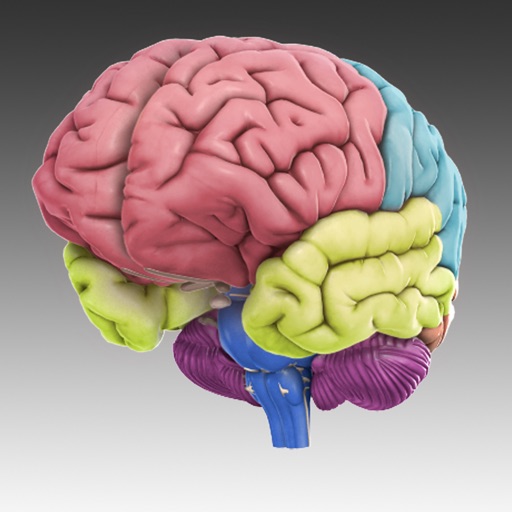
The app displays 29 interactive brain structures that users can rotate and zoom. It provides information on functions, disorders, brain damage, case studies, and research links for each structure.
Specified pages from multiple PDFs into a single file. Extract individual pages from PDFs. password-protected PDFs with known passwords. Split PDFs into separate files. Export merged or split documents. Share or save modified PDFs.