Apps Like Audio Evolution Mobile Studio for iPhone and iPad
Record and MIDI tracks
Record and MIDI tracks for music production. Edit vocals for pitch and timing. Use virtual instruments and effects. Create drum patterns with custom samples. Mix and automate tracks with unlimited undo/redo.
by Davy Wentzler★ 4.2172 ratingsMusic$11.99Data updated 2026-11-06
Add analog saturation to audio signals using a modeled '90s guitar preamp. Process guitars, pianos, organs, synths, basses, and more. Shape tone with controls for drive, brightness, and output.
Record and compose music with 12 tracks for sound loops. Dub tracks in real time without stopping. Use reverb, filter, volume, pan, and pitch effects. Export recordings in audio format.
Create and edit music tracks using a wide range of drum and percussion sounds. Adjust rhythms and beats with an improved jamming algorithm. Export finished projects in multiple formats and share directly.
Edit audio recordings with automatic volume normalization and sound enhancement. Adjust equalizer settings or use presets. Create AI videos and reels from audio files. Export in multiple formats and share directly.
Create and edit music with a variety of tools. Trigger pads in live mode. Adjust effects in dedicated mode. Arrange samples in sequences, takes, and groups. Record via microphone. Generate samples using AI. Add fade-in and fade-out regions.
The app allows users to create and remix music by mixing samples and loops. Users can add vocals, drum kits, and melodies, and apply audio effects to their songs.
The app is a multitrack audio editor for iPhone and iPad. Users can record or import tracks, edit them with cut, copy, paste, and delete functions, and apply filters and effects.
Processes guitar input to control digital oscillators, adjusting pitch and amplitude in real time. It applies multiple effects and generates sounds without using MIDI. Users can customize sound settings and adjust effect parameters directly.
MIDI/MPE controller for Studio on MacOS. Map controller inputs to parameters. Adjust modulation, velocity, and pressure sensitivity. Customize layouts and save presets. Connect via USB and support multiple devices.
Create using professional-quality audio samples and machines. Access a variety of instruments and effects for sound design. Explore genres like hip-hop, trap, and dubstep.
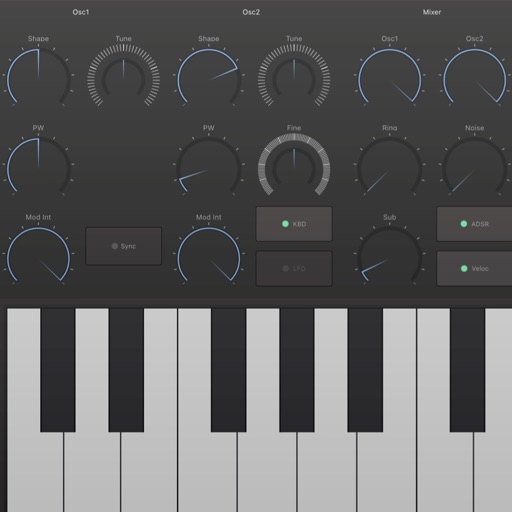
Create and manipulate audio using a polyphonic synthesizer with customizable . Play virtual keys to generate sounds. Use as an AUv3 plugin for music production. Adjust parameters to modify tone and effects.
Edit with mixing, fade effects, volume control, tone, tempo, and speed adjustments. Use a custom equalizer and undo/redo features. Organize tracks into projects and folders, syncing across iPhone and web.
Edit recordings by visualizing pitch and adjusting notes individually. Correct pitch and timing issues. Explore new melodic ideas. Export edited tracks in various audio formats.
Edit and transcribe chord sheets with auto-scrolling and smart automation. Customize chord diagrams, adjust tuning, and apply capo positions. Transpose and access a virtual fretboard for alternative voicings.
Create music using device sensors such as touch, motion, camera, and microphone, or connected peripherals like game controllers, Apple Watch, or AirPods. Connect modular MIDI components in the editor to build custom setups.