Access remote files via , download and store them locally. Navigate network or cloud storage, delete, rename, and move files. Share files via email or cloud services. Edit text documents directly. Sync with local server or NAS.
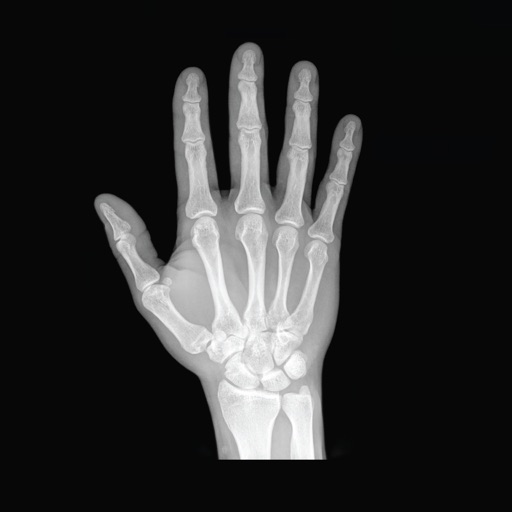
View and manage images such as MR, CT, and X-ray. Zoom in and navigate between slices and series. Review multiple image series side by side. Access AI-generated explanations of structural findings. Save, share, or archive images.
Download and store from services like Google Drive, Yandex Disk, Box, and Dropbox. Play without an internet connection. Access a clean, user-friendly interface for browsing and managing your library.
Clinicians document patient notes using voice recognition. Access secure patient records via cloud. Transmit notes to EHR systems. Ensure compliance with HIPAA security standards. Connect via LTE, 3G, or Wi-Fi.
Manage files across devices by accessing local storage, computers, NAS, and cloud services. Stream media directly to iOS devices. View and edit documents, photos, and music without downloading.
Photos to save storage space. Adjust JPG compression strength and image size reduction. single images, multiple files, or entire albums. Preview compressed results before saving.
Explore radiographic with detailed projections and accurate imaging. Navigate through anatomical structures, compare views, and access cross-sectional references. Sync with devices across Mac, iPhone, and iPad using a single subscription.
View and analyze DICOM images from various modalities including US, CT, MRI, and PET. Query and retrieve images via DICOM network protocols such as C-Find SCU, C-GET SCU, and WADO. Display images directly from PACS or compatible software.
View and navigate DICOM images from studies. Import studies via local sync using USB cable. Access DICOM CDs or flash memory. Transfer files through iTunes. No internet connection required.
View and manage medical images from PACS servers and other file formats like JPG, BMP, and PDF. Navigate through multi-modality scans, adjust contrast and window levels, and annotate images.
Manage and configure tunnels. Import tunnels from files, QR codes, or create new ones manually. Set up and connect to secure VPN connections. Monitor tunnel status and adjust settings. Export configuration files for use on other devices.
View and edit files with syntax highlighting. Manage local files and bookmarks. Search source text. Use tabbed browsing. Access iCloud Drive. Import files via iTunes file sharing.