Manage files on Apacer AH190 iOS USB Drive. View media in list or thumbnail format. Share photos, music, and documents. Copy, cut, delete, rename files. Transfer data between device and computer. Play photos in slideshow.
by Apacer Technology Inc★ 3.521 ratingsUtilitiesFreeData updated 2026-09-10
Print documents and photos directly from your iPhone. files and save them as PDF or image formats. Manage print jobs and access cloud storage for document sharing. Connect to compatible printers without additional drivers.
Print documents, photos, and web pages directly from device memory or cloud storage. Share files via email or messaging. Print supported formats including PDF, DOC, JPG, and HTML. No additional apps required.
Convert images and documents to PDF with one tap. Edit and annotate PDFs. Batch convert multiple files. Maintain original quality during conversion. Share converted files directly.
Manage files with a unified interface. Browse, copy, move, delete, and rename files. View and play all common file types. Access system files and folders. Open apps directly from files. Share files via email or cloud services.
Manage files and documents with a folder system. Create text files, handwritten graphics, and tables. Split screen for directory and file views. Drag to move files; long press for rename, move, or delete. Upload/download via Dropbox.
Create personalized photo and video slideshows with customizable transitions, filters, and music. Add backgrounds and text. Import personal media or use randomization for automated slideshow generation. Share finished projects directly.
The app stores documents, music, and videos in a secure location. It functions as portable storage with a file manager, music player, and PDF reader, supporting gallery imports and exports.
Convert documents and images between supported formats. Select files from device storage or photo library. Choose target format from list including PDF, DOC, JPEG, PNG, and more. Preview converted files before saving.
Type text to convert into speech with adjustable voice speed and language options. Choose from multiple voices powered by Apple, OpenAI, and ElevenLabs. Play, pause, and rewind audio. Save and manage phrases.
Manage files with an image browser supporting JPG, JPEG, PNG, BMP, GIF, and other formats. Edit text with adjustable size and hundreds of fonts. Preview office documents including Word, PPT, Excel, Pages, Keynote, Numbers.
The app offers text processing, spreadsheet editing, and presentation creation. It supports common document formats and includes features like document sharing and cloud storage for cross-terminal viewing.
Files between DOCX, XLSX, PPTX, and photos to PDF. Create PDFs from various sources. Edit and annotate PDFs. Export files in multiple formats. Share converted documents directly.
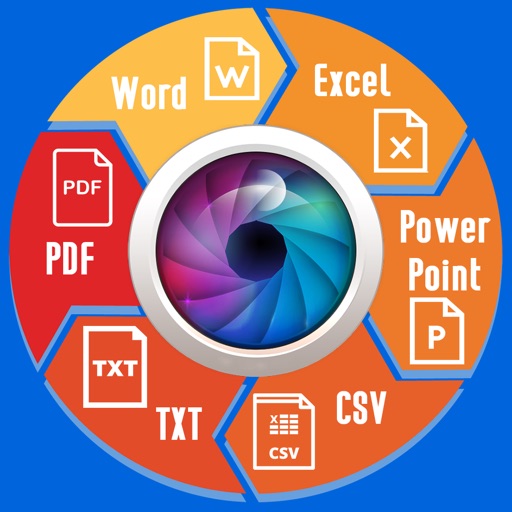
Extract text from scanned images and convert to Word, Excel, or PDF. Edit extracted content in Word or Excel. Convert tables and format from images to Excel or Word. Save as text files or PDFs. No registration required for conversions.