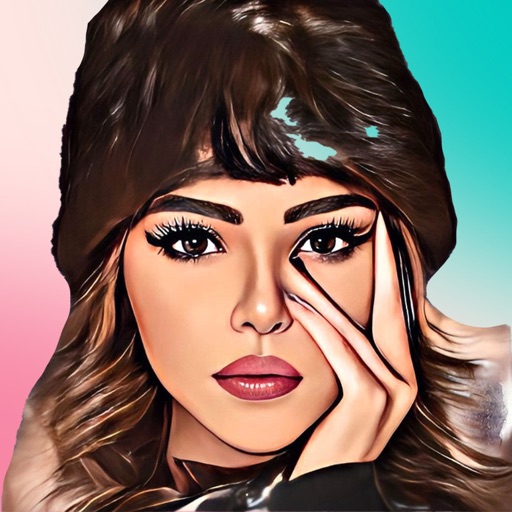
Use machine learning to enhance selfies with filters, effects, and pose adjustments. Edit photos by adjusting brightness, contrast, and skin tone. Share edited images via social media using the #shakyapp hashtag.
by Denis Karpenko★ 5.02 ratingsEntertainmentFreeData updated 2026-09-10
Edit photos using 15 unique presets for consistent styling. Apply free filters and adjust settings manually. Access over 400 templates from collections like Pastel and Polaroid. Share edited photos directly.
Edit photos by highlighting colors, removing or changing backgrounds, and blurring specific areas. Use healing and smoothing tools for precise adjustments. Create photo montages and export edited images directly.
Add stickers to photos. Edit pictures with filters and effects. Share edited photos on social media. Include features for creating stories and storing pregnancy photos.
Create photo layouts and GIFs for events. Guests can take photos, add effects, and share directly. Includes intuitive interface and continuous operation for long events.
Edit photos and videos with 300+ filters and presets. Apply overlays and adjust colors and brightness. Save edits in multiple formats and share directly. Sync with social media platforms for seamless posting.
Edit photos with filters, retro effects, and dimension styles. Crop, resize, and trim images. Adjust colors and brightness. Save and share edited photos directly.
Edit photos with -style filters, , and color grading. Adjust exposure, contrast, and saturation. Save and share edited images. Access tutorials on composition and photography techniques.
Edit photos with auto tuning, background change, and blur features. Retouch faces with skin and feature enhancements. Adjust colors, brightness, and contrast. Add text and stickers. Export in various formats and share directly.
Edit photos with New -themed frames and effects. Crop images, add stickers, and insert text. Share edited photos directly or export in various formats.
Create dynamic videos with real-time and transitions. Apply filters, adjust brightness and contrast. Add text, stickers, and music. Export and share directly to social media platforms.
Edit photos with skin retouch tools to remove blemishes and enhance texture. Adjust for eyes, lips, cheeks, and brows. Change hair color using a salon-style tool. Edit body shape with a body tuner. Apply selfie filters and save edited images.
Edit photos with filters, adjustments, effects, blur, and focus. Crop, rotate, and draw on images. Apply tone curves and enhance details. Save and share edited photos in various formats.
Turn photos into cartoons with filters and effects. Apply over 30 styles and 100 background effects. Edit selfies or select images from the gallery. Export and share the cartoonized photos.
Take photos with single-tap effects and professionally designed filters. Adjust brightness and contrast. Apply blur and focus. Rotate and crop images. Export edited photos in various formats.
RAY INFORMATICS YAZILIM TEKNOLOJI MEDYA DANISMANLIK VE EGITIM TICARET LIMITED SIRKETI
Enhance, restore, and upscale photos
Edit photos with unblurring, enhancement, and upscaling tools. Restore damaged or faded images. Adjust clarity and sharpness. Save and share edited photos directly.
Edit photos and videos with real-time makeup tools, face filters, and skin smoothing. Apply eye shadows, lip colors, and blush. Share edited content directly to social media. Adjust lighting and enhance features for a flawless look.
Edit photos with weather overlays, including rain, snow, and sun effects. Adjust transparency and blend modes. Share edited images to social media directly. Create custom weather-themed photo channels.
FEEL APPS YAZILIM HIZMETLERI SANAYI TICARET LIMITED SIRKETI
Edit photos, plan feed layouts, preview grids
Edit photos with filters, cropping, and brightness adjustments. Arrange images in customizable layouts. Preview and adjust feed compositions. Share edited photos directly to Instagram. Apply creative effects and text overlays.
Edit photos by applying AI-generated filters and effects. Choose from various styles and presets. Process images automatically for polished results. Share edited photos directly.