Offers a professional with multiple views and high precision. Access guitar lessons, gear reviews, and theory via YouTube integration. Use a flexible and drum machine for practice. Find interactive chords and scales with visual guidance.
Play rhythm-based games with tap, drag, and hold controls. Select tracks from pop, rock, and heavy metal genres. Compete on global leaderboards. Customize appearance. Unlock achievements and progress through levels.
Explore chords, scales, and arpeggios with interactive libraries. Select root notes and adjust lowest or highest notes for custom chord shapes. View and practice scale patterns with detailed diagrams.
Adjust tracks by changing , pitch, or both. Create custom loops with precise control. Separate vocals from instruments for clean practice or remix material. Export modified tracks directly.
The app catalogs songs, storing artist, title, tempo, duration, key signature, lyrics, and chords. It prompts lyrics on screen with customizable font and color, advancing via swipe or Bluetooth pedal.
Find chord diagrams for guitar, ukulele, and mandolin. Enter chord names to view different voicings or adjust diagrams to identify new chords. Hear how each chord sounds. Supports alternate tunings.
Organize band members and manage set lists with real-time updates. Distribute songs and gig details automatically. Send standardized invitations and confirmations. Provide sub players with charts and recordings.
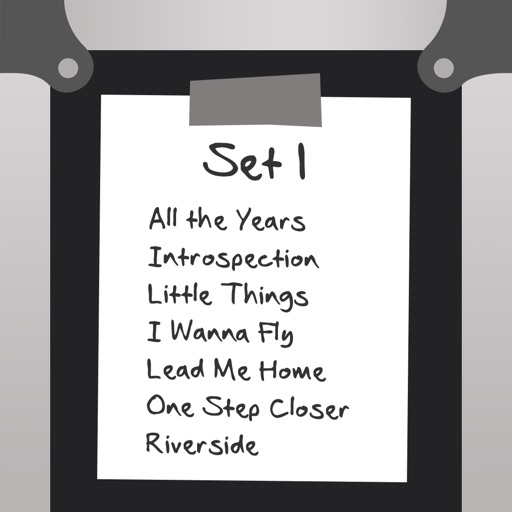
Prepare and perform music with customizable setlists. View chords in numbers, transpose songs, and add capos. Save songs for future use, reorder tracks, and add notes during performances. Switch to performance mode for quick song navigation.
Create and edit musical scores with multi-staff and multi-voice editors. Add notes and chords using the Pencil tool. Transpose sections with vertical drag. Use On-Screen piano for quick composition. Select and adjust elements with the Select tool.
Read and manage from PDF, image, text, and MIDI files. Import scores via camera, photos, or files. Organize by title, artist, and setlist. View scores in horizontal, vertical, or two-page modes. Annotate with pen, text, shapes, and stamps.
Learn riffs from over 1000 songs across multiple genres. Adjust effects and configure the . Resize the fretboard for different devices. high-quality simulated riffs with responsive controls.
Learn guitar notes with interactive educational games. Practice musical ear training, study over 500 chords across the , and explore scales in various positions. Customize tuning and select modes for focused practice.
The app provides a tool for users to write and learn music. It offers a fretboard slider for chord positions and inversions, a strumming interface, and the ability to see chord structures.
Chords and scales with interactive lessons. Use a virtual simulator to practice strumming and fingerpicking. Track progress with lesson completion and skill assessments. Access chord diagrams and tablature for reference.
The app provides a novel arrangement of notes for playing music. Sliding a finger produces chords, with higher importance notes and chords surrounding them.
Edit and transcribe chord sheets with auto-scrolling and smart automation. Customize chord diagrams, adjust tuning, and apply capo positions. Transpose and access a virtual fretboard for alternative voicings.